-
What is your operating system?
- Windows 11
-
What is your Shotcut version (see Help > About Shotcut)?
- 25.10.31
-
Can you repeat the problem? If so, what are the steps?
- Yes I can repeat it.
- Open Shotcut
- Select an image file
- I selected a file called “Glenn Close.avif” (I’ve used this file in one other project before so I know it works. To answer your other question, I use it for a meme)
- When it prompts for the duration, immediately select “Cancel”
- Afterwards, my computer locks up and I can’t even Ctrl+Shift+Escape, I have to hard press the power button on my machine
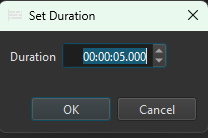
Here’s the portion in the logs where I saved my project and then dragged the image over and selected “Cancel”. There are no more logs after the last line, so maybe some kind of loop that got stuck?
[Info ] MainWindow::showStatusMessage “Saved //pathToMyFile/MyStorageFolder/Storage/TheVideoIMade.mlt”
[Debug ] Database::deleteOldThumbnails::lambda removing 1
[Info ] [mlt_producer 0x272b69df9c0] “//pathToMyFile/MyStorageFolder/Storage/Images/Glenn Close.avif” QImage retry: 3 - Unsupported image format
[Info ] [mlt_producer 0x272b69df9c0] “//pathToMyFile/MyStorageFolder/Storage/Images/Glenn Close.avif” QImage fail: 3 - Unsupported image format
[Debug ] Timeline::OverwriteCommand::redo trackIndex 0 position 88791
[Debug ] <> REMOVE PLACEHOLDER
[Debug ] TimelineDock::setSelection Changing selection to QList(QPoint(1,0)) trackIndex -1 isMultitrack false
[Debug ] Timeline::AddTrackCommand::redo video
[Debug ] TimelineDock::setSelection Changing selection to QList(QPoint(1,1)) trackIndex -1 isMultitrack false
After this part I have to restart my machine. I can reproduce it consistently.
Thank you