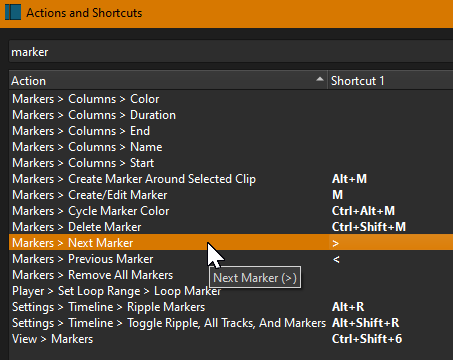
Have you tried using the Keyboard Shortcut to jump to the marker position that you have set?
This feature provides a unified action search and shortcut editor. Action search makes it quick to find and execute a command. It also provides a keyboard shortcut reference and lets you add or change shortcuts.
The Actions and Shortcuts Window was added in version 22.09.23.
[image]
The window can be accessed by going to Help > Actions and Shortcuts.
The window can also be accessed by the default shortcut keys ? and /.
Searches both action name and shortcut.
Press Return/Enter within the se…
If you have the Timeline beside the Keyframes, everything snaps to the playhead. This might save a bit of time switching back and forth between panels.