Hi! I’m new to this program and I wanted to layer two different video clips together on top of one another while still remaining visible. The top of the original video (let’s call it A) is synced to some audio but the bottom of A has some flashing textboxes that I wanted to cover with a mask (let’s call it B).
The way I originally tried to make B was by screenshotting A and using the Size/Position filter to try and line it up so it was flush/seamless. However, it was hard to properly line up the images properly so you could see the edge where it began/ended, especially transitioning between clips (I wanted to keep the opening original textboxes). It looked bad, so I asked my friend for help.
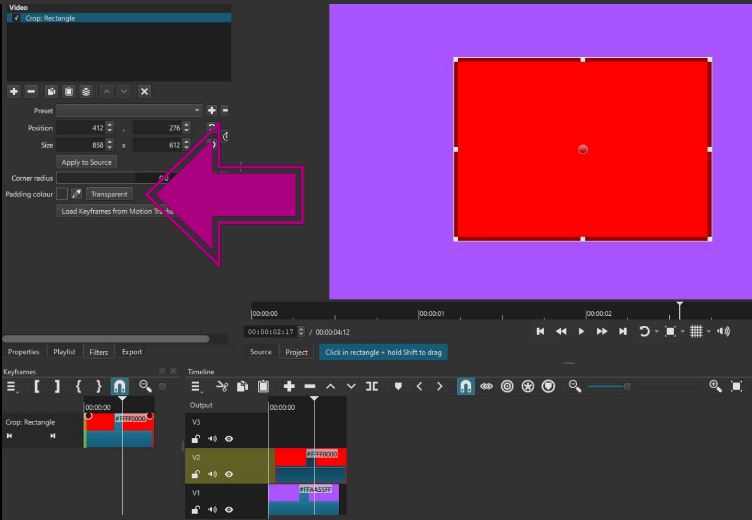
He mentioned the ‘crop: rectangle’ feature so I took a textless section of A (sectioned it off as it’s own chunk using the ‘s’ shortcut), applied the crop filter onto it and put B on top of the edited A portion. However, now this has caused a new problem. The cropped B section has a black box that’s covering up the A section. I could theoretically manually crop all the A bits and put them on top of the existing B crop but that seems really annoying and tedious.
Is there a way to remove the black box on B so that you can still see A or am I screwed?