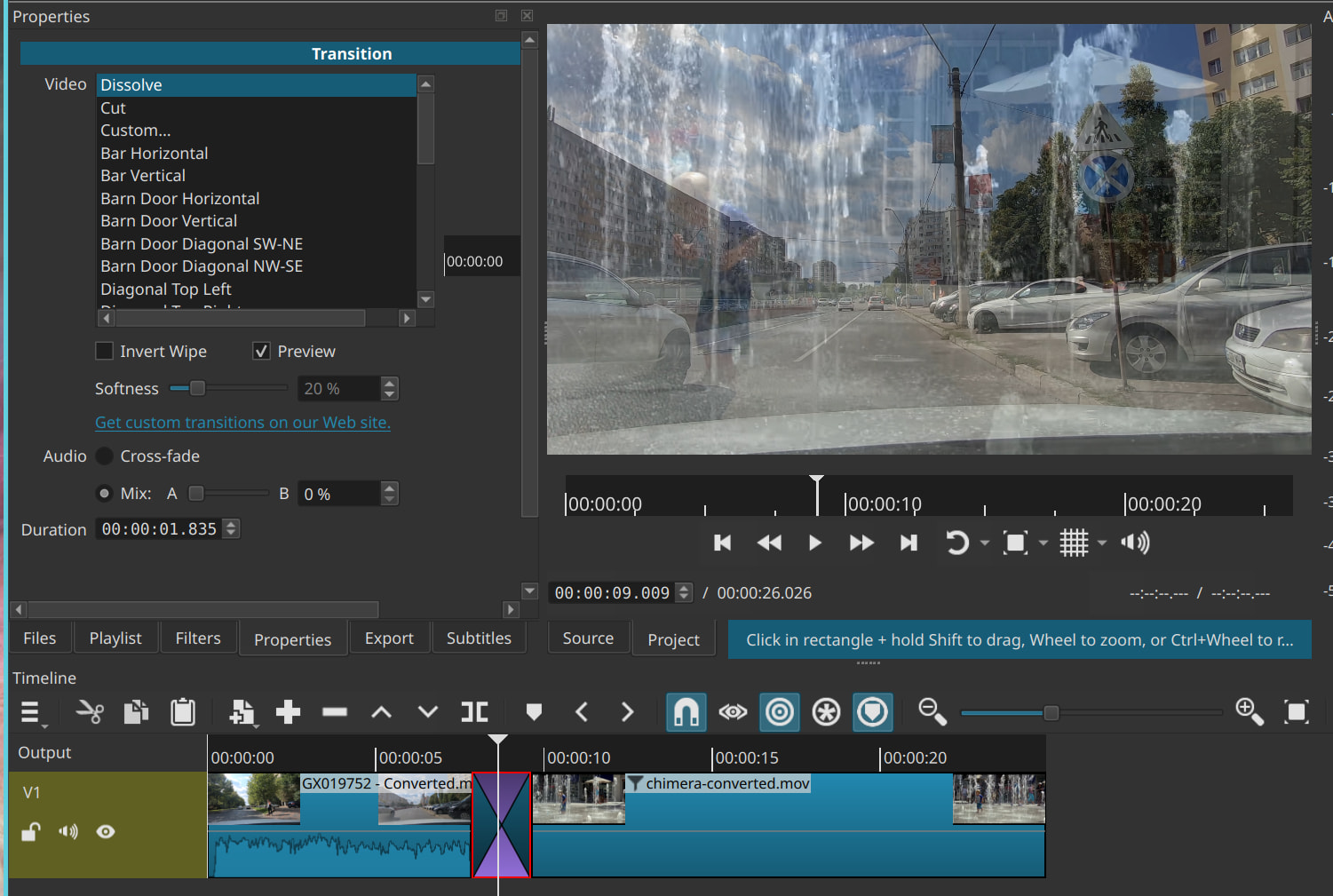
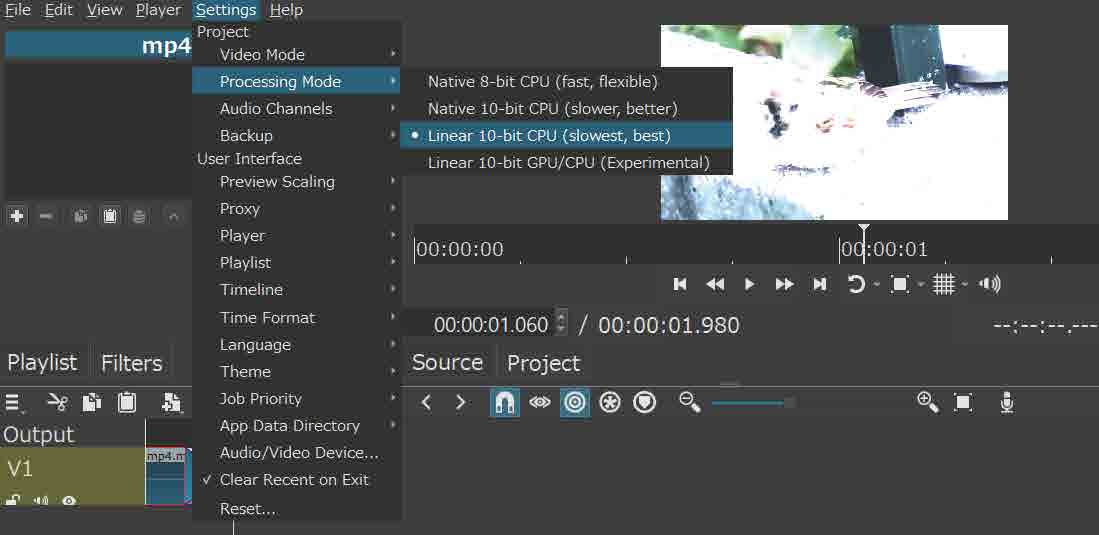
When I use the dissolve transition, the colors become inverted.
This behavior was not present in version 260226, but I observed the issue in versions 260430 and 260625.
Thanks for checking.
I get symptoms like this. What’s happening?
Please upload the project file.
I have determined the root cause of the problem.
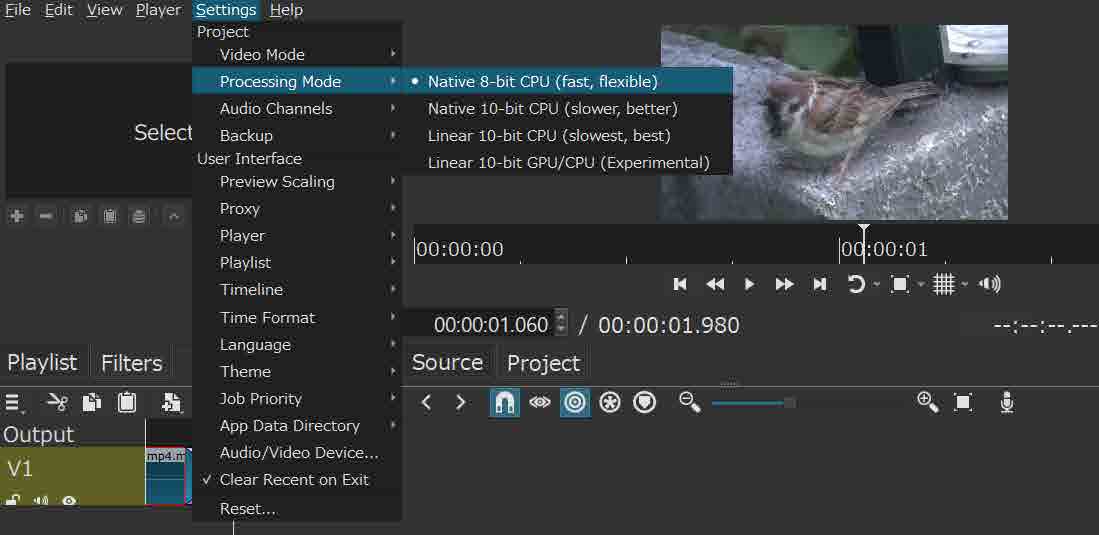
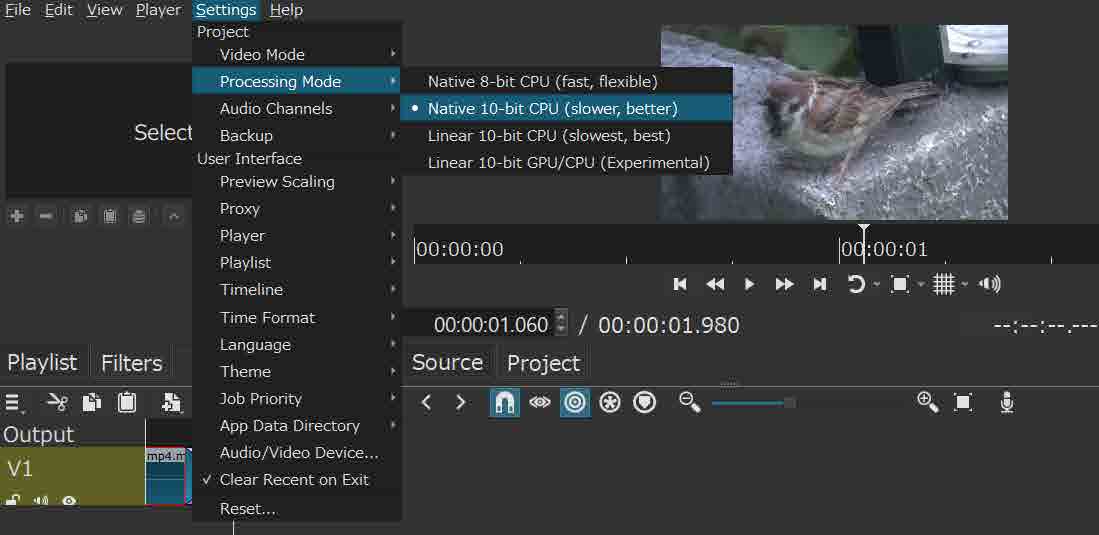
The Processing Mode in the Settings menu was set to “10‑bit (best)”, which appears to trigger the color inversion.
Switching to “10‑bit (better)” or “8‑bit (flexible)” resolves the issue.
Notably, version 26.2.26 does not exhibit color inversion even when “10‑bit (best)” is selected.
This behavior was verified on a Windows 10 system with a Ryzen 9 5900 CPU and RTX 3060 Ti GPU, and it was also reproduced on a separate machine (Surface 5, Windows 10, i5‑7300U, Intel HD 620).
I hope these findings are useful for future improvements.
Thanks, I reproduced it.
There is a workaround if you know how to set or run with an environment variable: MLT_COLOR_TRANSFORM=sws_colortransform
This is fixed for the next version.
Thank you, Shotcut!!
I really appreciate you verifying this and proposing an alternative solution in such a short time.
I’m also truly honored that my report has been adopted for the upcoming improvements.
I’ve confirmed that it has been fixed in BETA version 26.7.
I sincerely appreciate your support.