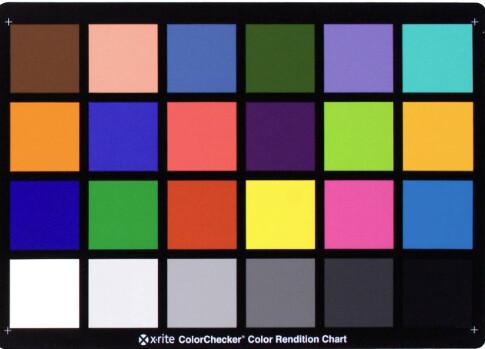
Hi, I’m new to Shotcut.
I would like to know if it is possible to calibrate colors using the colorchecker from x-rite?
I’ve searched the forum, but I didn’t find any reference to my question.
Thanks!
X-Rite is a Monitor Calibrator. I have it. It has nothing to do with Shotcut. But yes, you can calibrate your monitor so that your edits have more accurate colors.
Maybe I was not clear enough. 
Yes, you’re right. I’ve calibrated and profiled my monitor with some hardware device plus DisplayCal software.
Now I’m asking about the next step: footage color correction with Colorchecker (color charts). Is this possible in Shotcut? Like this in DaVinci Resolve.
OK. Now I understand. You want to use a screen shot of this from your footage to color calibrate. I know you can do it on Da Vinci Resolve or Premiere, but I am not aware of a calibration tool in Shotcut. The closest thing I can think of is to take a screen shot of your video with the calibrator, then take it to an image editing software like Photoshop and calibrate there. Save all the changes as a LUT then implement the LUT in Shotcut