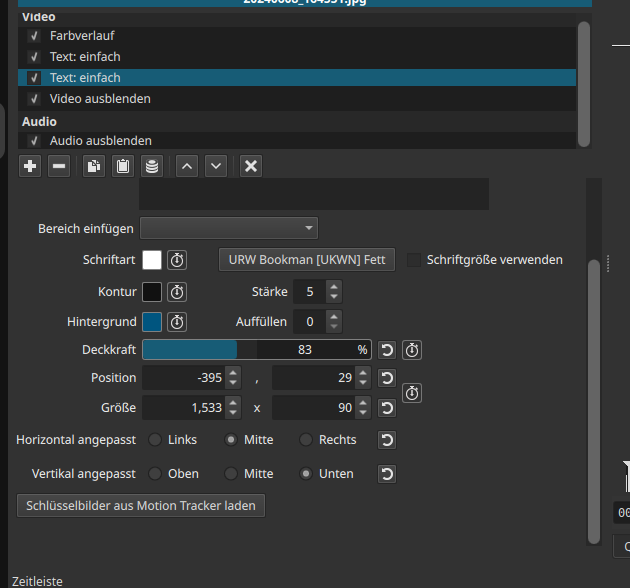
I made a chapter banner for my videos. I want to have a default size of that banner and the font size should sometimes be smaller or bigger. But whatever font size I select -nothing happens. Font is always big. If the text is longer than the screen width, i need to manually do that font window smaller with its width and height attributes.
Why is it not possible to change font size directly?
To the right of the font button is a checkbox to use the font size. If unchecked, it is computed based on the rectangle size. Even when checked, it will be constrained by the rectangle.
Oh great, In my screen resolution / size of the filter area it was not possible.
Perhaps it is better to put it below the font button.
If I make that filter area bigger, it wastes a lot of space for the main working area.
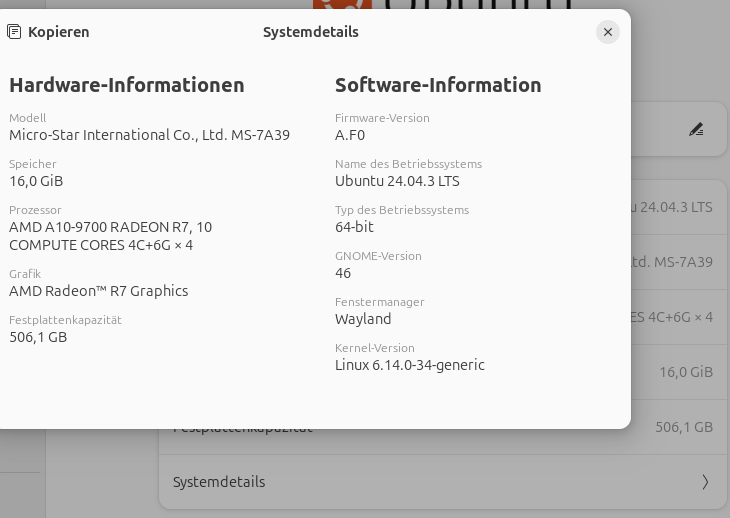
By the way, If I resize / move the font reactangle directly in the preview video area, It takes so long to move it. And then Ubuntu already shows a timeout message that shotcut doesn’t respond. I hit the wait button…. some seconds timeout message appears again …. and again. In some cases i need to click > 10 times on wait button.
It depends on how many clip and transition objects there are and if thumbnails and waveforms are on. Some people are micro-cutting every little bit of silence and mistake in spoken content, which creates many objects. This will not be fixed quickly and easily. It requires major re-engineering that will still only be beneficial when zoomed in on the timeline and not showing everything simultaneously.
With that said, I just tested 1 video track 26 minutes of 500 clips & transitions with thumbnails and waveforms plus another video track with a single text clip. I did not experience a major slowness using the Text: Simple visual control and never a not-responding message. Now, that was a 1280x720 project. I just increased it to 4K. It is laggier but still not really bad.