OPSYSTEM: Windows 10
VERSION: Happens on both versions: 25.03.29 and 25.07.26 (It started happening on 25.07.26 - reverted back to 25.03.29 and the problem remained)
I’ve been using shotcut for years now, heavily. Immediately after downloading the latest version I would save my work, come back later to continue working on it and it would fail to open from this screen (attached). I tried going into file explorer and opening the file directly and got the same problem.
I reverted back to 25.03.29 and it still continues to happen with every video I try to make. Now I have to make sure I can finish editing before I close it or I will lose all my work.
I haven’t changed anything on my computer and or with how I’ve used shotcut since I started using it. The only thing that changed was downloading the latest version.
Any help would be greatly appreciated! Thanks in advance.
Jenn/WonderMommaOG
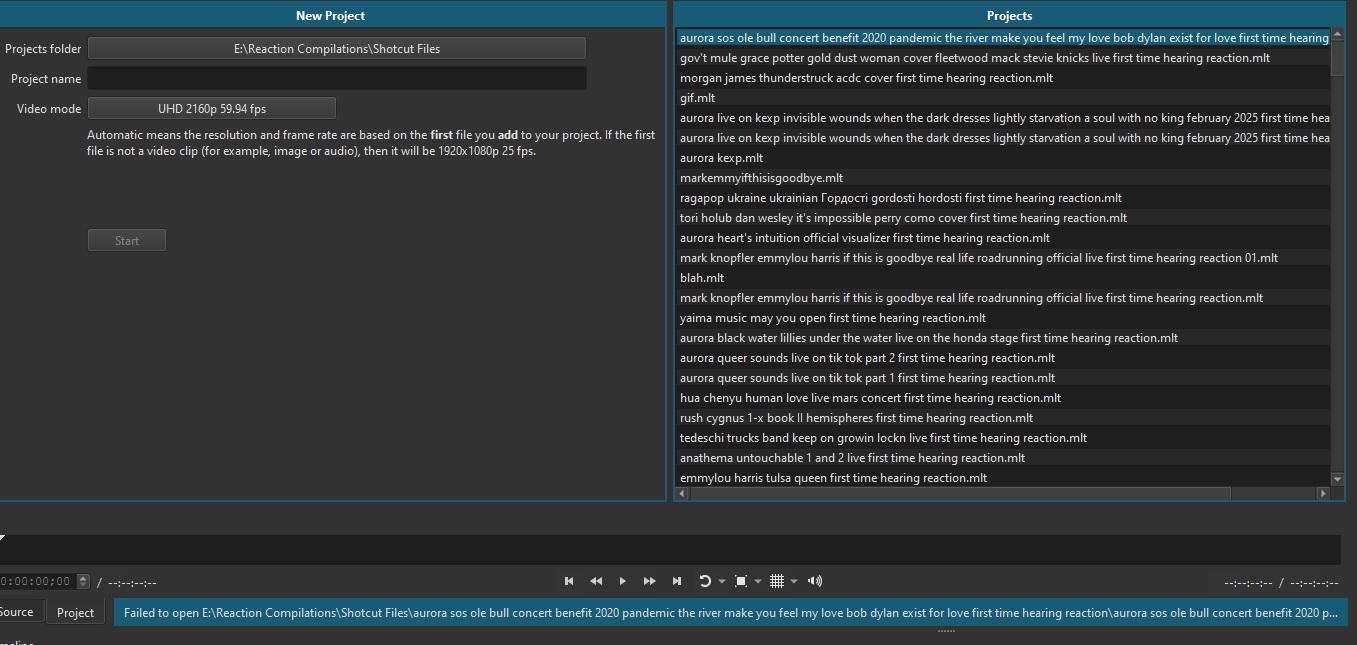
My Application Log also attached.
applog.txt (49.8 KB)