Hello! Could you help me?
The bottom horizontal scroll bar (right-to-left) is missing. Is there a way to restore it?
Hi @aikker
Can you share a capture of your entire screen?

the srollbar only appears when the clip exceeds the timeline. For example if you click the ‘Zoom timeline to Fit’ button. This will ensure the clip fits within the timeline, so no need for a scrollbar. Your clip seems to fit within the timeline.
If you click the + sign immediately to the left, this will extend the clip beyond the timeline and the scrollbar will appear

Thanks for your reply.
I understand what you’re saying. Unfortunately, this particular clip exceeds the timeline and, nevertheless, the horizontal scroll bar is not appearing. It never appears. Please see the two screenshots below of another
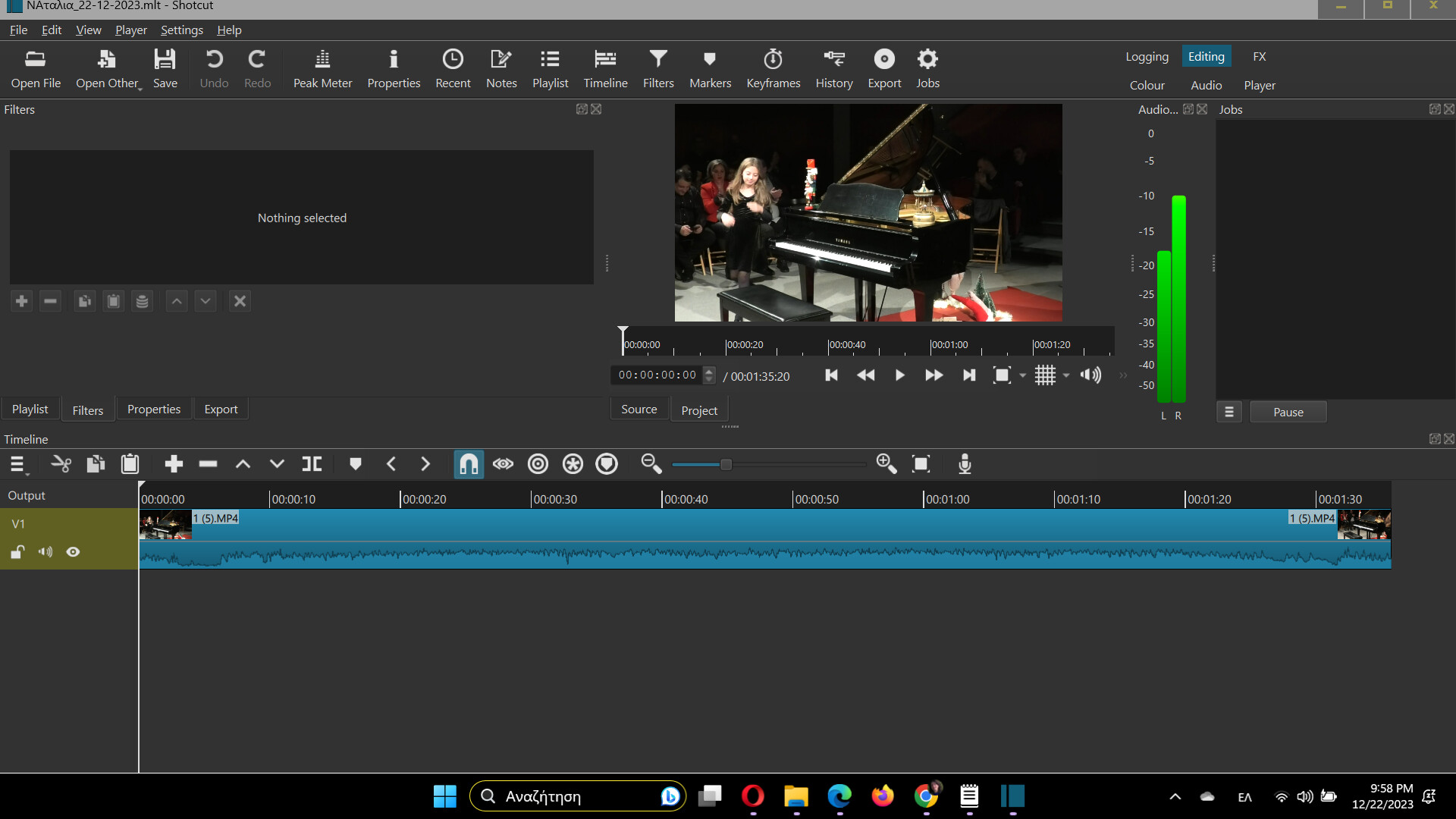
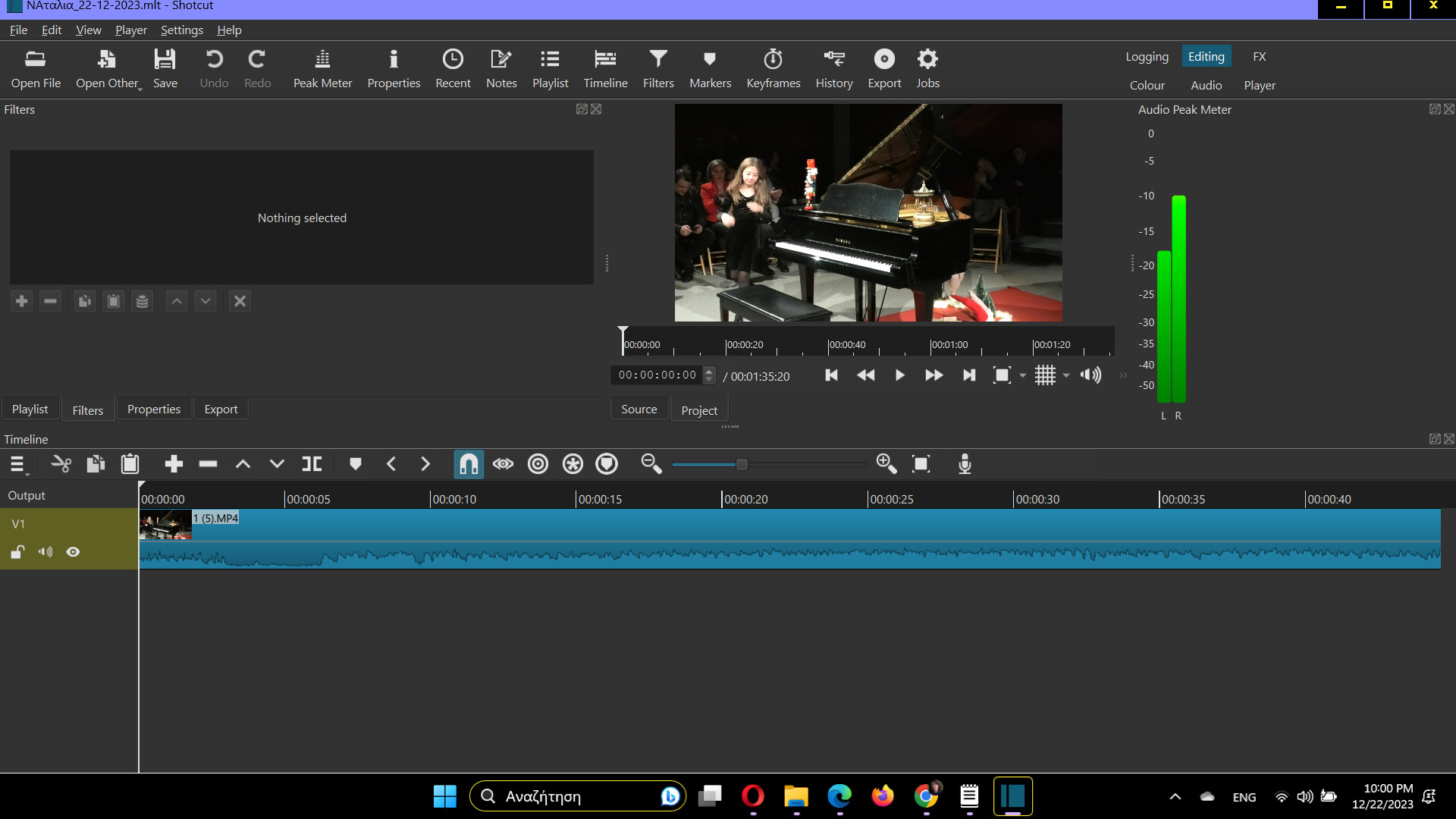
project. One shows the project fitting within the timeline (I have selected “Zoom timeline to Fit (0)”), and the other shows the same project expanded beyond the timeline (I have clicked the + several times). In neither case does the scroll bar appear. The truth is, I haven’t seen it for a long time. I’m considering reinstalling Shotcut.
Maybe the bottom of the window is below the system task bar at the bottom of the screen. If the Shotcut window is not maximized try that. If it is, un-maximize it and try resizing the window so you can clearly see all borders with some wallpaper in the background.
1 Like
Yes, that’s it! You’re right. I double-clicked on the title bar, and the horizontal scroll bar reappeared! Thank you very much for the help.
This topic was automatically closed after 90 days. New replies are no longer allowed.