What do you suggest as the best way to record a voice over on a separate audio track in Shotcut? What do you need?
Thanx a lot.
What do you suggest as the best way to record a voice over on a separate audio track in Shotcut? What do you need?
Thanx a lot.
Search here and sort results by relevance gives the documentation the highest priority.
For simple voiceovers, I would start by trying out the various microphones you have available. For instance, the microphone on my ThinkPad sounds terrible, whereas the iPhone’s mic sounds quite good. When mixing the audio, I recommend aiming for a consistent maximum volume throughout the entire film. Otherwise, you’ll constantly be reaching for the remote control to adjust the levels. To achieve this, I set a limiter to -5 dB to cut out any excessively high volume peaks. Placed before that (in the filter chain) is a gain filter to boost any elements that are too quiet. These filters are applied to both the audio and video tracks—the goal being to balance the overall volume levels across everything. Afterward, you can fine-tune the mix—for example, by lowering the volume of the video track (using keyframes, for instance) whenever you are speaking. Does this help you get started?
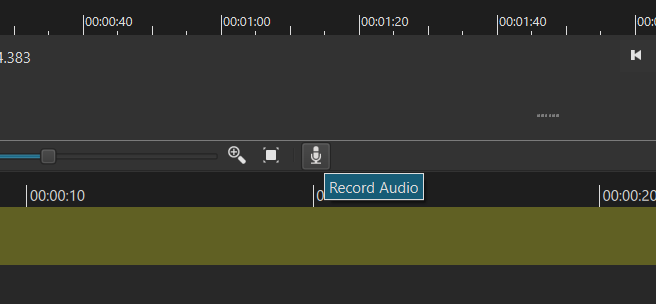
Hello, maybe there was a misunderstanding. How can I start a voice over on the timeline with my finished video project? What do I have to do, step by step, to start the recording? I don´t seem to find the right buttons. Thank you!
Hello, unfortunately I don´t have the microphone icon in my programm. Perhaps an old version? Can you help me with other ways to start an audio recording? Thanks a million.
Hi Cleo, what Shotcut-Version do you have? I think the record-funktion should have been implemented an age ago  The Button you are looking for is right here:
This topic was automatically closed after 90 days. New replies are no longer allowed.