(I’m creating a separate topic from the discussion here)
I have Backup → Hourly enabled but it doesn’t seem to actually work as intended.
I’ve opened Shotcut with one project roughly 4 hours ago and I have manually saved (regular save) multiple times since opening it but there is one backup file so far.
Here’s an exact timeline:
14:38 → started Shotcut
14:38:51 → there is a backup .mlt for my project created (I’ve quickly saved after a small change as a test)
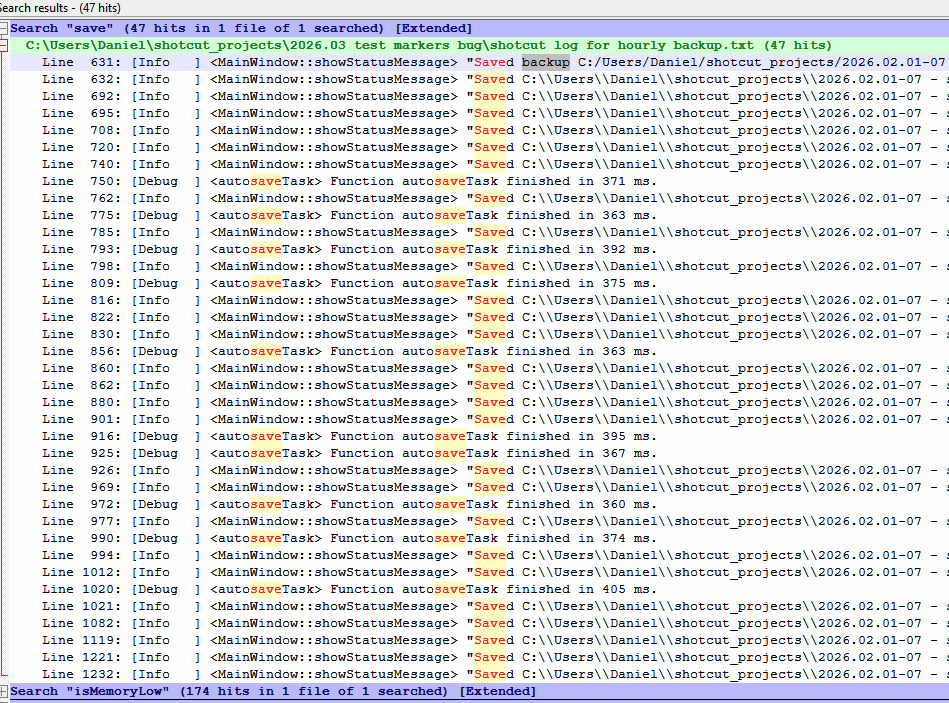
17:34 → no other backup was created, saved 14 times since opening (from filtering for “save” in application log), including right now
//for context, as there are no timestamps, there are 174 matches for “isMemoryLow” in the logs
18:43 → back from a break, saved manually, still no backup
19:19 → (now) another save but still no backup file, last one is still the one from 14:38:51
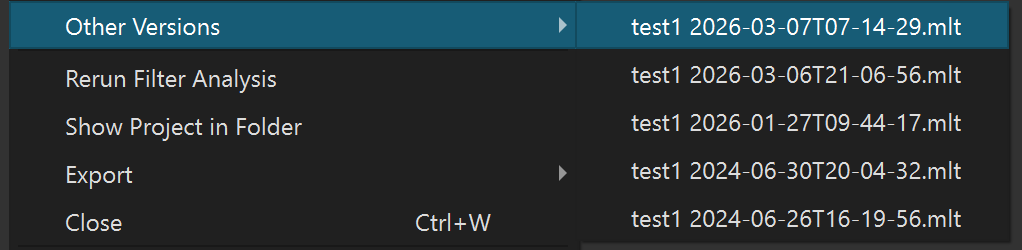
I’ve had this 1 hour option selected (almost) since it was added, and searching for all .mlt files matching this project that I’ve created 2 weeks ago, I have only 6 backup files (which I actually think were saved manually by me).
If your project file name matches the following regular expression it will not backup. This is to prevent creating a backup of a backup, which is confusing for the human to parse and understand branches.
If this is the function that does the backup logic: MainWindow::backupPeriodically() , doesn’t it mean that if I save more often than 1 hour, the backup is never created? Because every time I manually save the project, the file’s lastModified is updated so it will never catch-up (unless I wait at least 1 hour between saves).
IMO the comparison should be against the latest back-up file last_modified time, not against the working project file. Unless I misunderstood the code.
IMO the comparison should be against the latest back-up file
OK, perhaps, but then the process is messier, slower, and prone to other problems. Define “backup file.” The would be anything that is in File > Other Versions, but this can potentially include ad hoc branches and things like Converted and Repaired.
I left the project for >1h without saving and got the backup on the next save, I see, so this was the logic all along, no wonder I have so few backups, I would be crazy not to save for a full hour and lose so much work in case of a crash or power failure or something unexpected.
I’m thinking only exact current project name + datetime string, everything else is ignored.
Worst case scenario someone will have 2 “backups” in the same interval if the user decides to change the name or converts/repairs. I don’t think they would mind and it feels more organized this way.
Btw, I now understand how far away from what my understanding of “Backup → Hourly” the process is. Is there any reason why this wasn’t implemented as a timer-based separate save of the project (I mean not backup-and-save of course, this should never overwrite the original .mlt, just a completely separate save)? Unless the timers are prone to bugs, it sounds easier and more expected.