Hello,
Is there a way to enlarge the video track so that I can accurately read the tempo changes in the music in order to synchronize the sound and image movements and combine the two tracks, that is, the video track and the keyframe track?
1 Like
Depending on which direction you want to enlarge it you can use scroller on your mouse (CTRL + scroller or SHIFT + scroller)
Thank you for your reply. I would like to be able to play a video track to synchronize the music’s tempo with a moving image.
The SC procedure for enlarging a video track (“CTRL +++”) doesn’t provide enough detail about the music’s tempo. It would be preferable to have both the detailed video track and the keyframe track displayed simultaneously to fine-tune the settings.
Are you able to use a DAW (Digital Audio Workstation)? If so, it may be possible to load the music and video separately then stretching/altering the tempo track to suit the video
Je ne connais pas DAW, mais je me suis renseigné il me demande 600euros pour cette application c’est abusif pour moi. Merci de votre réponse.
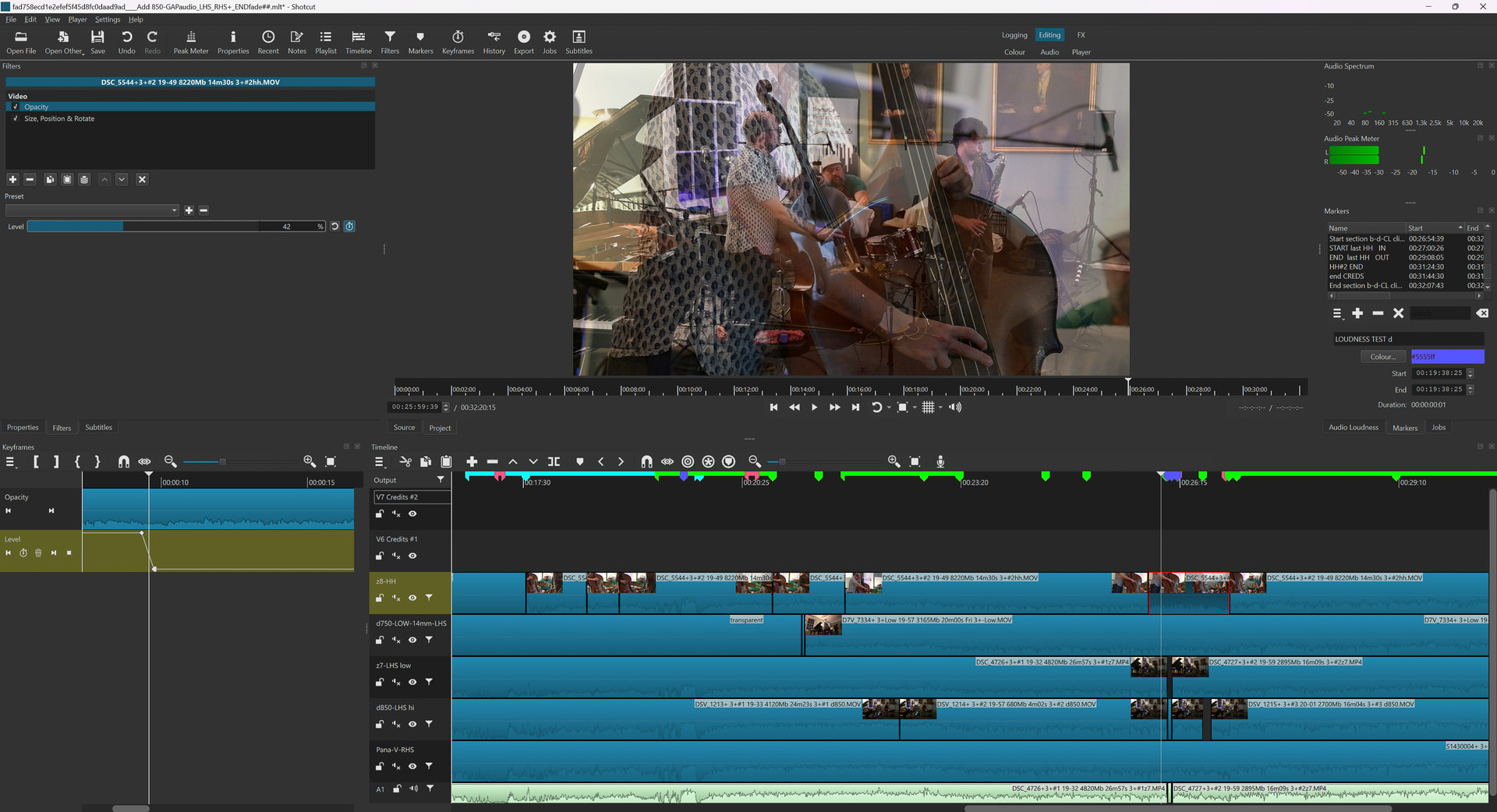
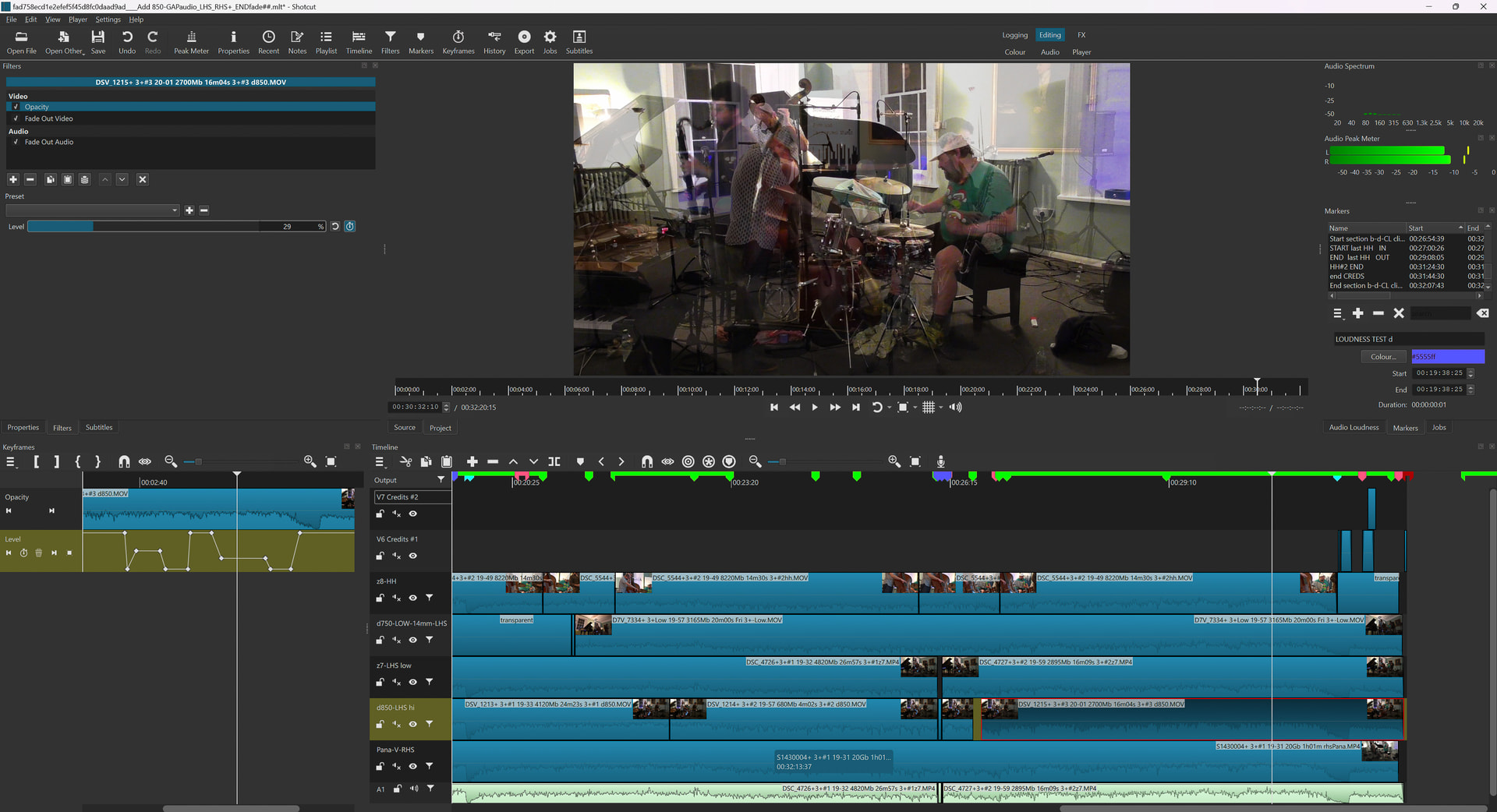
I’ve been doing something like this - so this may help ? Open a ‘Keyframes’ pane and position it on the Left of the main Timeline pane, to view both. Expand the Keyframe view time-wise to see the audio detail whilst the main view is a separate (eg wider) timeframe. With the Keyframe view expanded, you get very good & precise control of any Keyframe parameter. I use this a lot for MIXes between tracks where the timing (for musical reasons) is critical to adjust precisely to my liking. If this doesn’t help, then maybe bear it in mind anyway 
1 Like
@Ken-D @Epsilon85,
J’utilise également cette disposition sur une autre interface de Shotcut, par exemple FX. Ainsi, on peut basculer facilement entre les interfaces MONTAGE et FX.
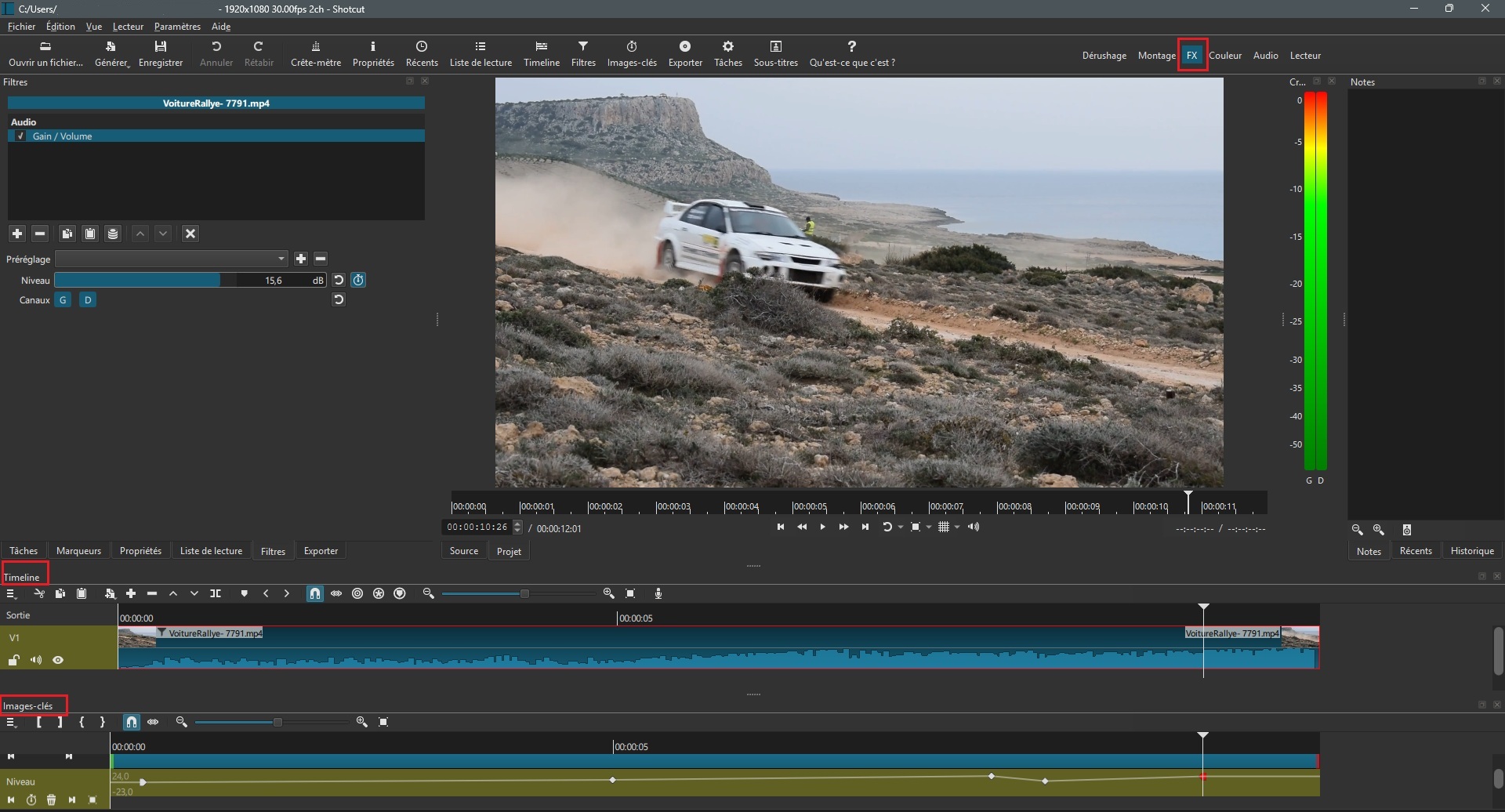
On peut également placer la piste Images-clés sous la Timeline :
I also use this layout on another Shotcut interface, i.e. FX. This makes it easy to switch between the EDITING and FX interfaces.
You can also put the Keyframes track below the Timeline:
1 Like
Merci de vos avis je vais tenter.
1 Like
Thank you for your advice, I will try
1 Like
You are welcome. You can download a free version of Sonar (https://www.cakewalk.com/) and there are others such as https://www.audacityteam.org/ or Waveform Free audio editing software - mac, pc, linux | Tracktion if you would be interested to try them out. Anyway, good luck and I hope that you can find a solution quickly! All the best wishes.
Merci de votre proposition, mais j’ai Audacity depuis des années, mais il est difficile de noter le temps des tempos et de les retranscrire sur SC il y a forcément des décalages. Ce qui serait souhaitable c’est d’afficher simultanément la piste audio très détaillée si faire se peut et la piste des key frame. Cordialement.
Hi Pierre - okay, no problem and I understand. Anyway I hope that you will find a work-around soon. All the best, Keith.
This topic was automatically closed after 90 days. New replies are no longer allowed.