Are there any already existing SAM2 integrations? I would like segmentation automatable in the video editor, currently, one has to do it frame-by-frame in glaxnimate. Effects like Text behind object etc. can be achieved using that with lower efforts (only some final touch ups might be required).
1 Like
Adding SAM 2 would definitely be a major step forward for Shotcut. It would allow the software to compete with the ‘big dawgs’ by offering high-end automatic masking and effects like ‘text behind objects’ without the tedious frame-by-frame work currently required in Glaxnimate.
However, there is a significant technical hurdle: Shotcut’s core philosophy is to remain a lightweight and efficient editor. I proposed a similar integration a few months back, and while the developers are open to new ideas, the storage footprint is a major concern. Integrating the necessary AI models would increase the installation size by roughly 1.2GB per version.
Given that @shotcut (the lead developer) is currently prioritizing stability, processing quality, and clean video output, he might be hesitant to bloat the software that much right now. It’s likely a feature that will come in time, but I wouldn’t expect a native integration in the immediate future.
Can we add the code from github on the \AppData\Local\Meltytech\Shotcut directory ? maybe a solution on filter-sets or other directory
There are 2 big problems with SAM2: it requires Python, and AI on video needs GPU acceleration to be tolerable with respect to performance. We are talking like minutes per frame on a CPU. The heavy python dependencies pushes it into the Docker image approach like the Text to Speech feature. 90% of that massive image is the Python-based engine, not the model. So, sam2 will be an even larger Docker image than that.
However, attempting to get GPU support to work through Docker is really only reasonable for Linux users; Windows is supposedly feasible but very advanced usage. And it only really works on NVIDIA. (There is Apple Metal support but not through Docker.) Kdenlive supports SAM2, but you need to completely setup SAM2 yourself. That is not how I deliver things in Shotcut. For Shotcut, things should be a few short clicks away. Otherwise, if you can get this working you can build or find your own SAM2 command line frontend that will work with Shotcut’s existing Open With feature.
I hear you loud and clear on the ‘bloat’ and the Python nightmare.
Nobody wants Shotcut to turn into a 10GB Docker image just to get a single feature working, and I definitely agree that ‘minutes per frame’ is a non-starter for most users.
However, I’ve been looking into Cutie (the evolution of XMem), and I think it actually solves the exact problems we have with SAM 2.
The biggest difference is that SAM 2 is a ‘Foundation Model’, it’s trying to be a genius that recognizes everything. Cutie is just a worker. It’s much smaller (the weights are only about 200MB) because it doesn’t try to ‘detect’ objects; it just tracks what you tell it to.
Here’s why I think this fits Shotcut better:
It respects the user’s input:
Instead of an AI guessing what to mask, the user just defines the first frame (using a simple shape or Glaxnimate). Cutie then just ‘drags’ that mask through the rest of the clip. It turns hours of manual keyframing into a one-click process.
It’s actually fast:
Because it’s not re-analyzing the whole image every frame, it’s much lighter on resources. We’re talking about seconds per frame on a CPU, not minutes. On a GPU, it’s essentially real-time.
No Python needed:
Because Cutie is a focused model, we can potentially run it through LibTorch (C++). We could ship it as a native library rather than an experimental Docker mess. It stays a ‘clean’ video tool, not an ‘AI experiment.’
I think this is the ‘middle ground’ we’ve been looking for. It gives us that ‘pro-level’ masking (like putting text behind a moving person) without turning Shotcut into a bloated, unstable mess. What do you think about a C++ native implementation of a propagation-only model like this @shotcut ?
That is not what I am saying; that will never happen.
Currently, Shotcut cannot include CUDA because its SDK needed to compile and bundle libraries is incompatible with our GPL license. Apparently, technically, we can change the license to include an exception, but that defeats the point.
So, it may be possible, but you give up NVIDIA acceleration, and it would be a lot of work for one rather advanced, niche feature at the moment. It might be a commercial opportunity for someone to make a plugin.
1 Like
I hear you loud and clear. I didn’t fully account for the GPL vs. CUDA SDK licensing conflict, that is a total deal-breaker. Makes perfect sense
I tried to hack something which can at least help in my workflows in future. But I wish I could inject back the processed video in the timeline with chroma key filter already applied. Or maybe the cutie filter acted as mask itself. Currently, If you notice cutie filter has to removed and exported video is placed on top. Ideal workflow would be if ‘Text behind object’ could be a filter in which I enter no. of objects, select them, then save mask. And text gets masked by that.
The main problem is that cutie is exporting a video with a green screen (ick) instead of a video with an alpha channel. If cutie can simply accept a file name on the command line, you do not need a custom filter added to Shotcut. Simply use Properties > Open With, do the work in cutie, and drag-n-drop the generated file to the Shotcut timeline.
python interactive_demo.py --video ./examples/example.mp4 --num_objects 1
Change this code to remove the explicit--video option name and assume a bare argument is a file name like any proper CLI tool that handles files.
1 Like
I had tried actually that too. A .mov file with transparency doesn’t look transparent in Shotcut as expected for some reason. I had to instead use .mov file as mask on that video and then another Mask:chroma key filter was also required. Attaching minimal working example in case of video with alpha channel. Please tell me if possible another way:
transparent.zip (109.6 MB)
That’s not a big problem I can just wrap that command in a shell file for the moment.
Yes, it does, with your mov:
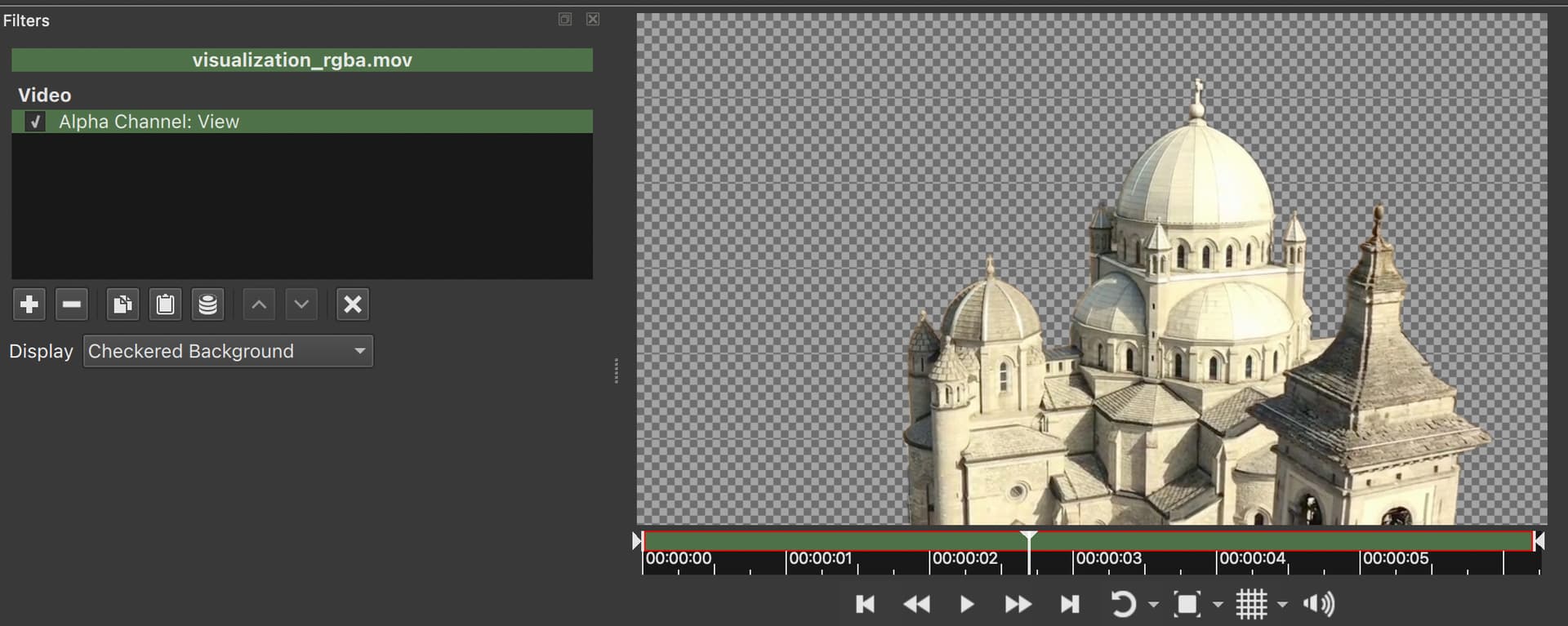
However, when used on the Timeline, you need to use Settings > Processing Mode > Native 10-bit CPU because this is ProRes whose 12-bit pixel format with alpha is unexpected:
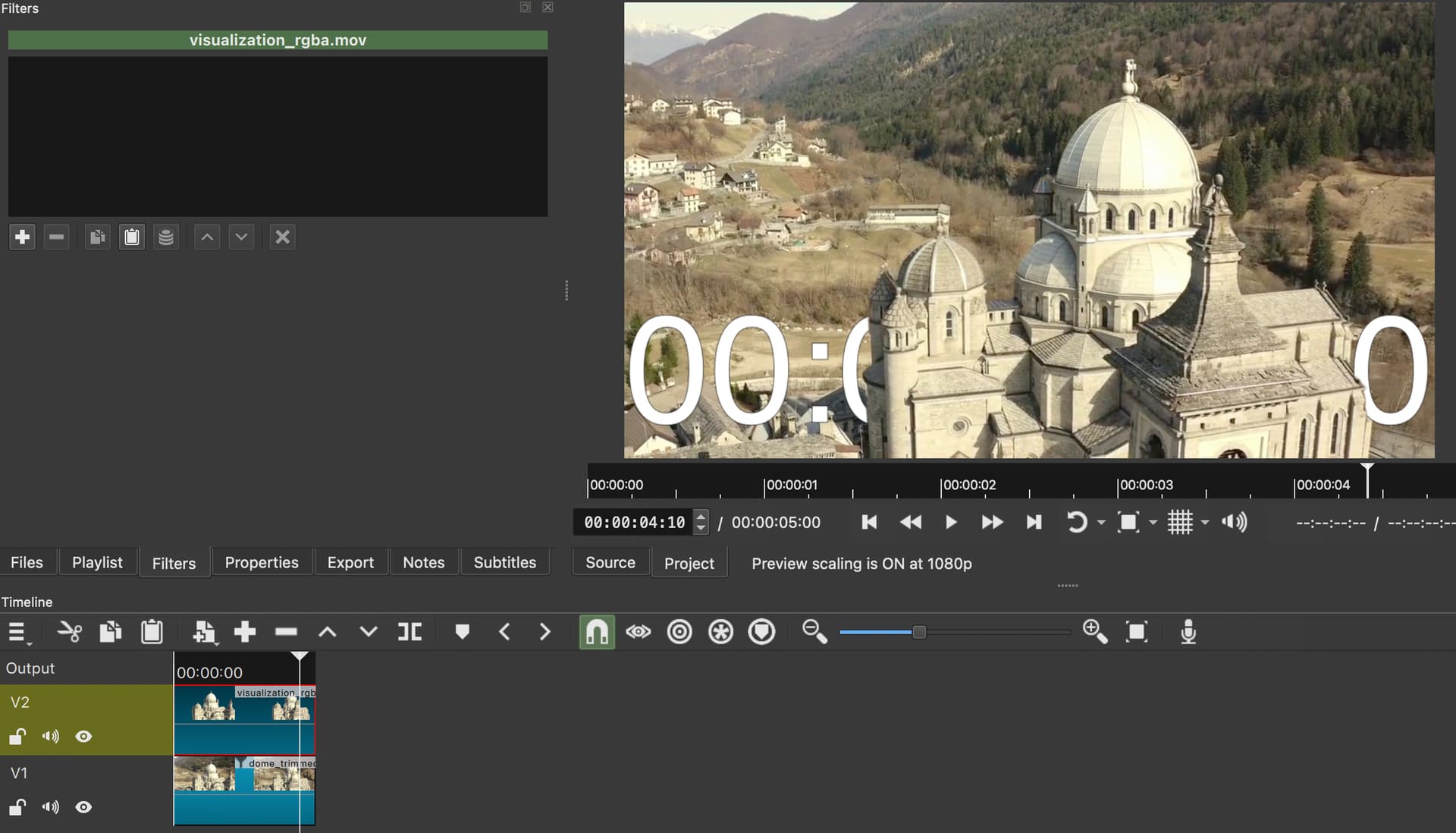
I fixed using 12-bit ProRes with alpha in 8-bit mode for the 26.1 release. What made you mov file? Maybe it can be adjusted to use 10-bit, 12 is overkill for most.
ffmpeg.
ffmpeg -y -framerate 24 -i visualization/rgba/%07d.png -c:v prores_ks -profile:v 4 -pix_fmt yuva444p10le out.mov
I tried multiple examples and found that choosing profile:v 4 with yuva444p10le makes it 12-bit. I don’t have any prior knowledge of codecs and video processing.
Another example which gave me promising result was -c:v qtrle -pix_fmt rgba but that gives almost double(~ 200 MB) the size of prores one(~ 100 MB), for 6 sec video.
Shotcut has a list of export presets in the alpha category if you want to explore more. ProRes is a good choice for this, but needs workaround until next version.
Also, Shotcut can directly read an image sequence with alpha. Open the first image and click the image sequence checkbox in Properties.
1 Like
Is there a way to define frame per second in that case? to adjust speed? I had processed 5s video with 30 fps, but resulting sequence becomes a 6s video(~24 fps).
Apart from export that sequence and reimport as video and adjust speed in properties.
This is not a problem for now, because I will match that in Cutie to create frames according to 24fps.
1 Like
The frame rate is based on Settings > Video Mode frame rate.
If anyone wants to give it a try. It should work using Open with button of Shotcut. I can only test for my OS. A bit lazy to spawn VMs to test others.
Export Nuitka ONNX Bundle · Amit0617/Cutie-onnx@cc24c9b · GitHub
1 Like
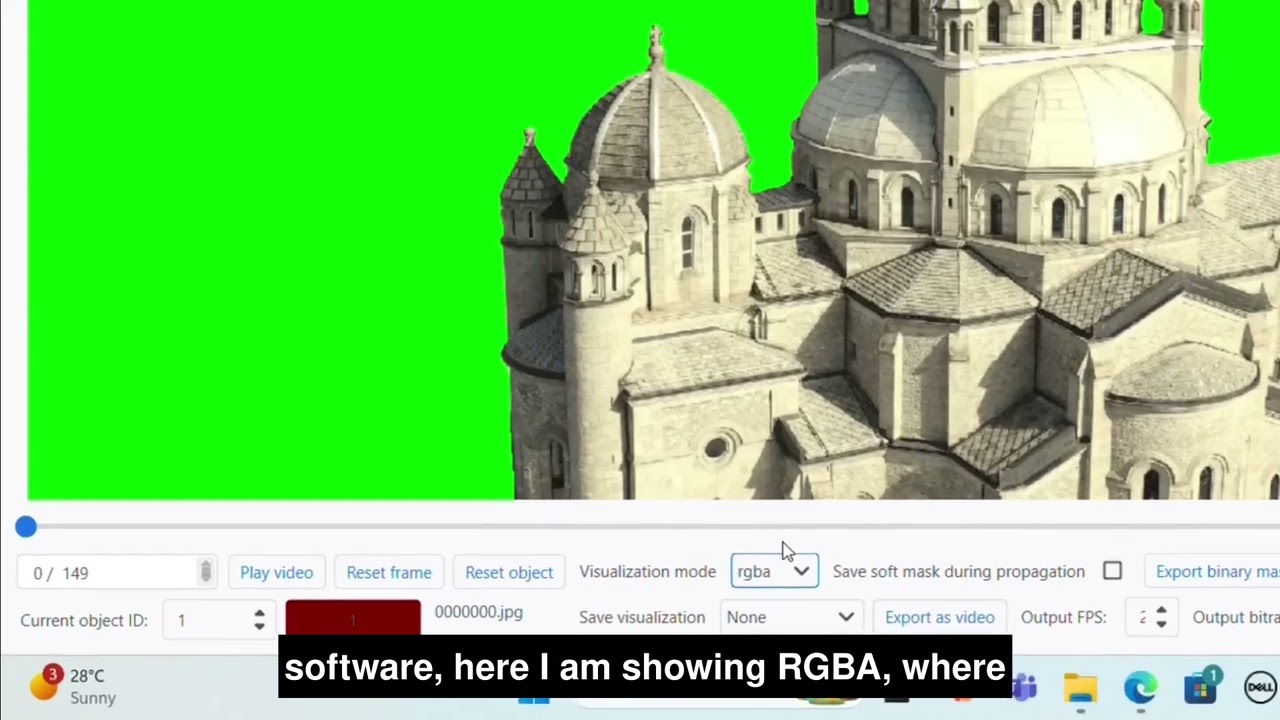
I recorded a video to show how to use it for Windows OS. In the process only I learnt that previous artifacts weren’t valid for Windows specifically. I would have never learnt that given no one else would have tried to figure out how to use it.
1 Like
See also
and
1 Like
Hey @Amit
You made a great video at the right time. But I am currently in stop. Hear me out, I followed your steps but I instead used 15 seconds long video. I did the image sequence thing in Properties but when I play overlay and original video it doesn’t align perfectly there’s slightly delay of abou 0.8 seconds.
One thing I noticed you don’t have to stretch the image because it’s causing delay, so on a long video, I do i know whats the next image to place
I had tried really hard for finding something like that and actually ended up relying on sam2 using samexporter and actually implemented a hybrid solution which generated mask using sam2 (small) and used cutie for tracking mask throughout video.
1 Like