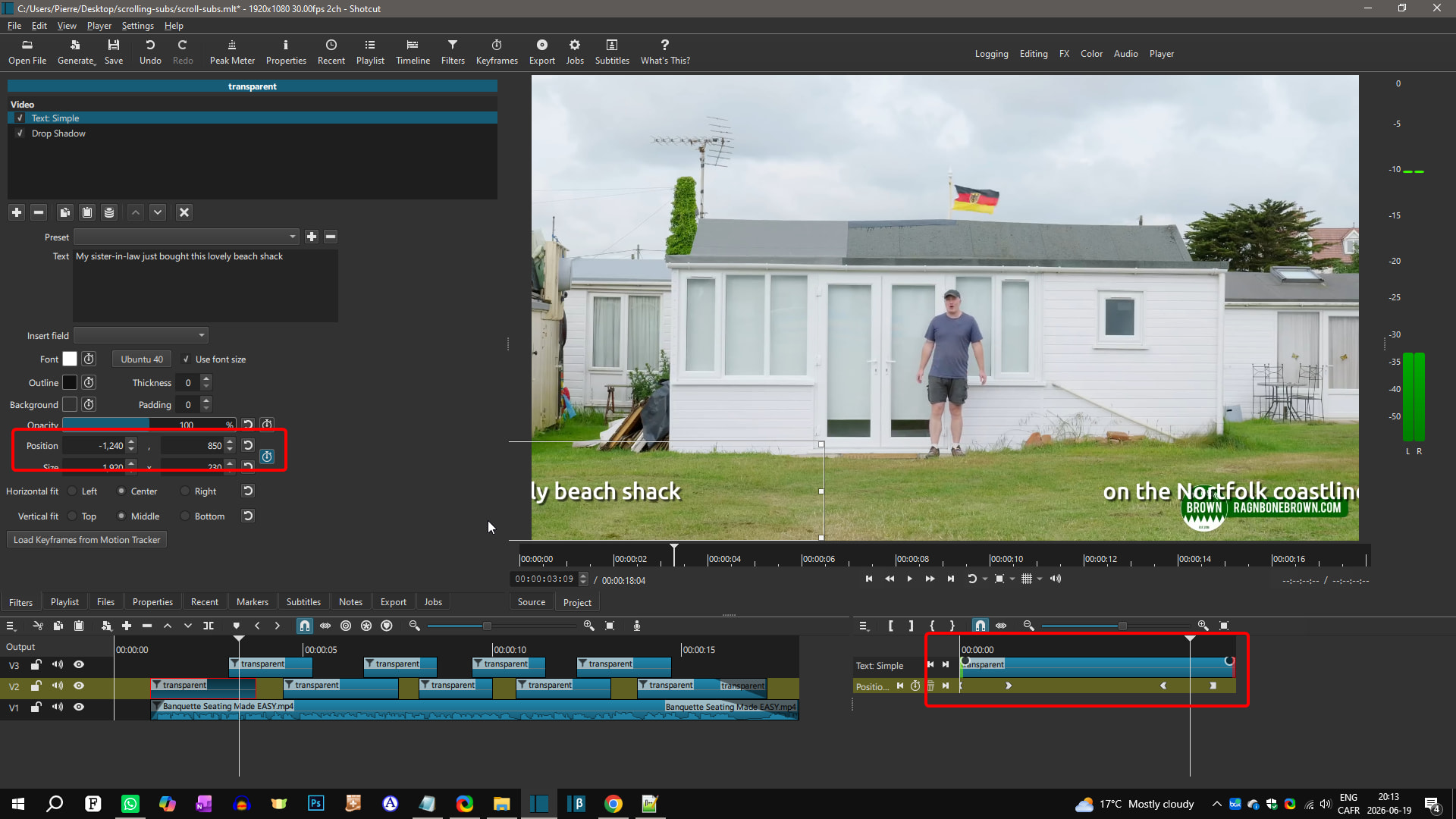
Is there a video instruction for adding scrolling text to video that match up to current version of Shotcut [25.10.31] or a cheatsheet of instructions to follow? I have manage to figure out some work arounds but I am really struggling when I add Rich Text and paste my text in it is so small I seem to miss the first line of text and trying to get that first line of text to match up with rest of text for the clip I am working on is frustrating. I have V1 that has my video clips, A1 that has spoken audio, A2 that has soft background music (different music for each clip but linked together). V2 that has my scrolling text for each clip.
Maybe somebody has a different method that they think is better I’d appreciate any and all suggestion.
Use Paste Text Only otherwise from the menu, otherwise, the default using the shortcut is to include formatting, which is appropriate only from one rich text filter to another.
I do not know how to help you with the general question, however. You ought to consider to clarify “scrolling text.” How does scrolling text sync with spoken word in general? Scrolling implies a vertical or horizontal motion animation. It is not a common effect to combine with spoken word as far as I know. Consider showing an example YouTube video. Also, “get that first line of text to match up with rest of text for the clip" is a little confusing because that suggests syncing multiple text elements, but the subject is about syncing with voiceover.
Notes to @Barry:
Instead of the Text: Rich filter, consider using Text: Simple instead. Simple doesn’t mean it’s less powerful. In 99% of the cases, it is as good as Text: Rich and easier (simpler) to use.
In the video above I used keyframes on the Position setting of the text filter to make the text slide in and slide out. You just need to copy/paste the first text clip on another track, change the text content and the position of the keyframes.