Filter “360: Cap Top & Bottom” — GUI control unreachable and incorrect rendering / crash
Shotcut Version
AppImage Shotcut version 25.12.31 downloaded from shotcut.org
OS
OS: Linux Mint 22.3 x86_64
Kernel: 6.14.0-37-generic
Resolution: 1920x1080
DE: MATE 1.26.1
WM: Metacity (Marco)
CPU: Intel i5-7400 (4) @ 3.500GHz
GPU: AMD ATI Radeon RX 580 2048SP
Memory: 3867MiB / 23972MiB
Note: I do not use the GPU for any operation
Issue 1 — GUI / Filter Panel Scrolling Bug
Description
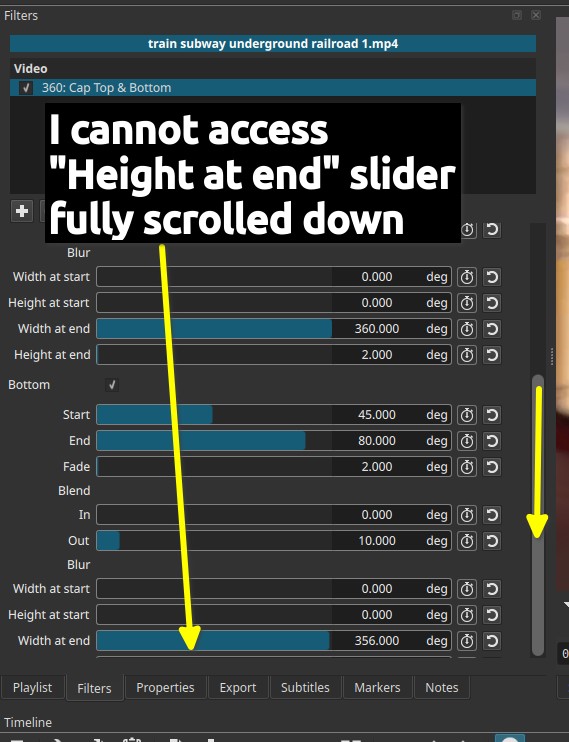
The last control of the filter, “Height at end”, is not accessible when scrolling normally in the Filters panel.
Steps to reproduce
- Apply the filter 360: Cap Top & Bottom to any clip.
- Scroll down to the bottom of the filter controls.
Observed behavior
-
The “Height at end” slider cannot be reached, even when fully scrolled down.
-
Mouse-wheel or lateral scrolling does not stop before the control, it’s the control which is too low and does not match the scrolling.
-
The control becomes accessible only if:
- The timeline is removed and
- The UI layout is changed (e.g. full-screen or enlarged panel).
-
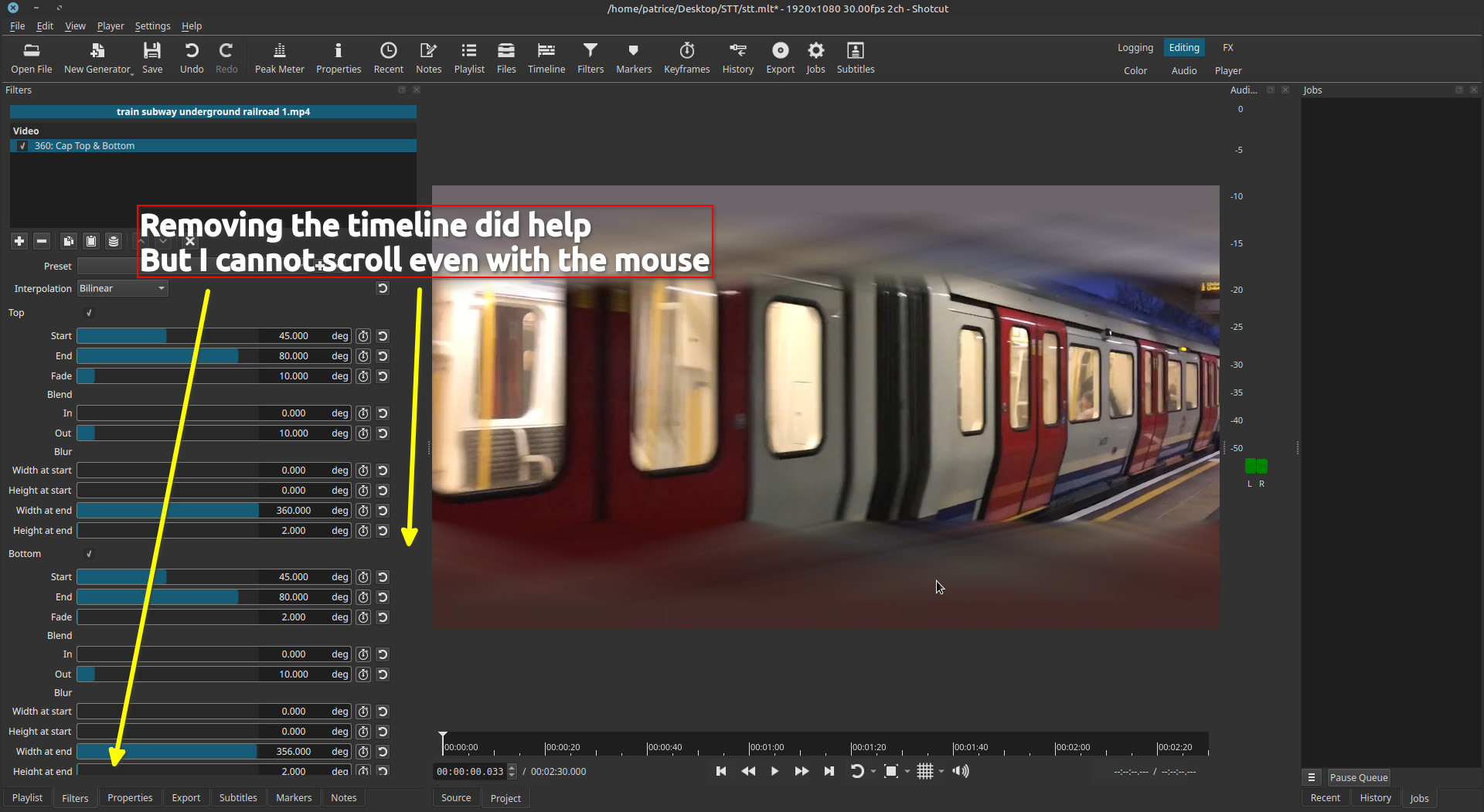
Even after removing the timeline, scrolling behavior remains inconsistent.
Expected behavior
- All filter parameters should be accessible via normal scrolling, without modifying the UI layout.
Comparison with other filters
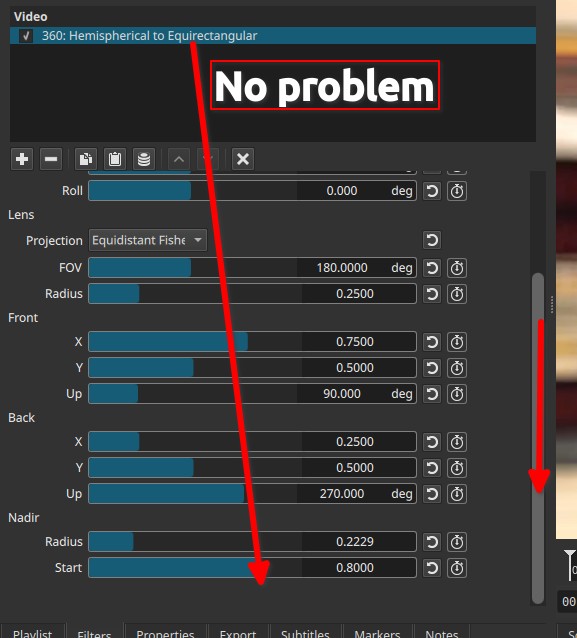
Two other filters with a similar or larger number of controls do not show this issue:
- 360: Hemispherical to Equirectangular
- 360: Stabilize
They allow full access to all controls via standard scrolling.
Screenshots
-
Screenshot 1 & 2: “Height at end” slider not reachable despite full scroll.
-
Screenshot 4: Timeline removed — control becomes visible, but scrolling remains unreliable.
-
Screenshot 3 (“No problem”): Comparison with 360: Hemispherical to Equirectangular, showing correct scrolling behavior.
Issue 2 — Rendering Error and Application Crash
Description
Adjusting the “Height at start” and “Height at end” parameters causes incorrect rendering and may crash Shotcut.
Steps to reproduce
- Apply 360: Cap Top & Bottom to a clip.
- Enable Top.
- Increase “Height at start”.
Observed behavior
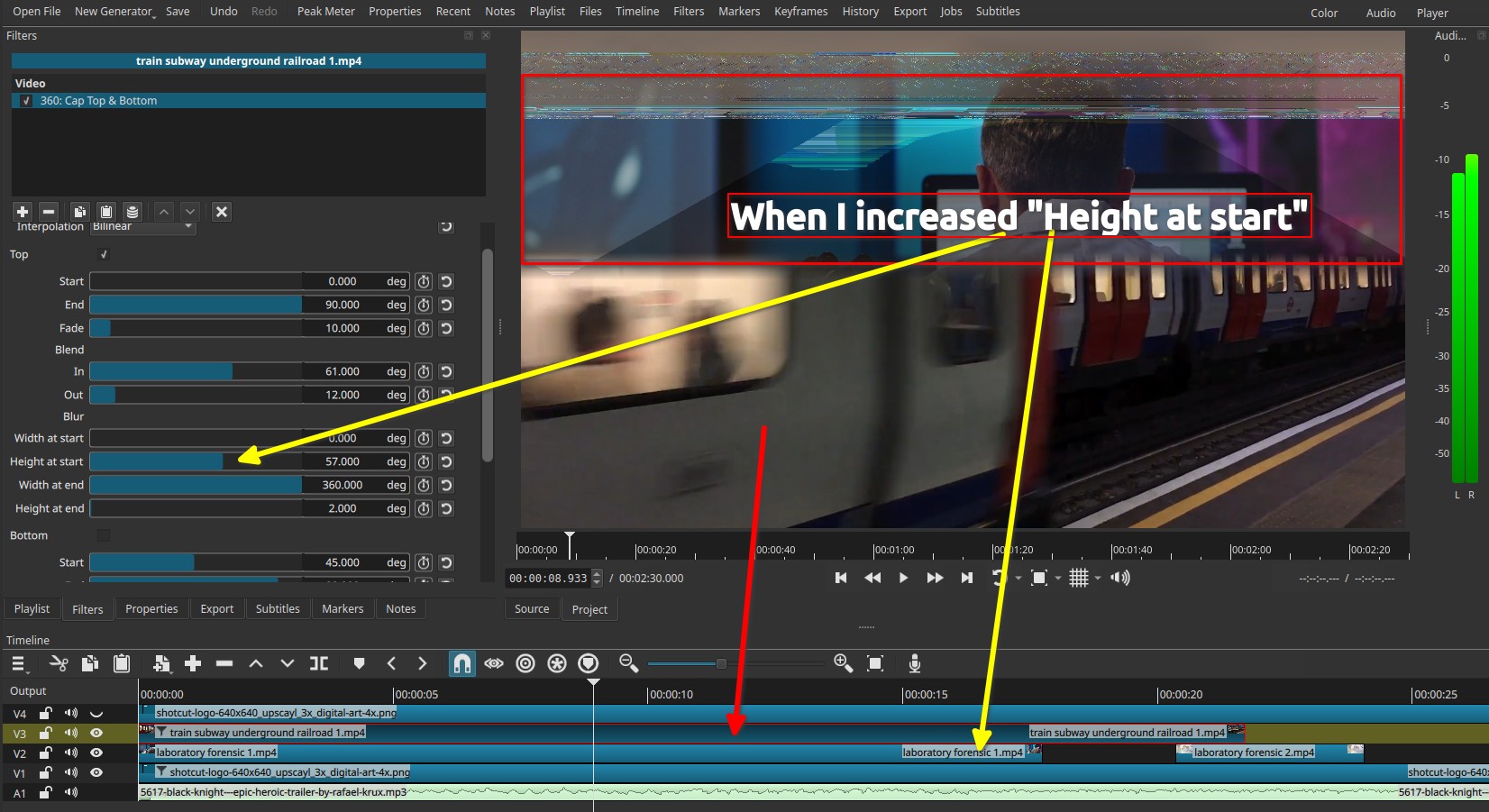
- The preview shows the video layer underneath, as if the filter behaves like a transparency mask where it should not.
- Visual artifacts appear in the capped area.
- Shotcut may suddenly shut down, depending on other parameter changes.
Expected behavior
- The capped region should remain opaque and stable.
- No underlying video layers should be visible.
- Adjusting parameters should not cause a crash.
Screenshots
- Screenshot 1: Visible underlying clip when increasing “Height at start”, demonstrating incorrect masking behavior.
Additional Notes
- Issue observed with Top enabled (Bottom not tested extensively)
- “Height at end” control CAN have the same symptoms, but it’s not always, it happened, though… Shotcut did crash.
- Discovered these bugs as I’m on the doc, thus I might found more in the future, I apologize in advance

- Below an excerpt made with this filter WITHOUT touching the “Height at start” to see the behavior (BTW pretty cool filter, especially for moving elements
 )
)
Yes, I know it’s not a 360 degree shot which the filter is intended for, but I thought it was cool

