Update:
I figured out what might be going on, and how I will now work with Shotcut.
With the UI, can’t save an empty mlt project.
No file loaded, just pushed Save, and get this message.

But there is no MLT file here:
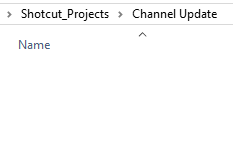
Close Shotcut & Reopen, this appears in Recent Projects UI

Click on the MLT in the UI, and I get this. (There still is no MLT file in the file folder, nor anywhere in my folder “Shotcut Projects”. Can’t open what is not there.

Ignoring the UI at this point, and just Open File an video file, the top of Shotcut displays Channel Update.mlt, now I push Save, an the mlt file now does appear.
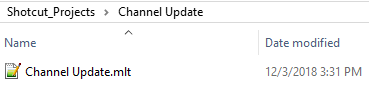
My normal work flow for anything I have done with projects/documents that I know I’m going to save, I always name the file first before starting work. I’m an avid save button pusher.
Outside of the bug I’m reporting, here is my opinion of this whole method.
I’m about to edit 2TB videos (at least 100 hours, about 30 files), to just a 3 or 4 minute video. I do not have 2tb SSD capacity, and only one drive has a 4tb capacity. Yes, for simple one video file, with a few images, I can see this method would be ideal, but for today, it’s impossible to accomplish this. There are various images that will be used, and those I will have in the directory created with the UI. Again, I actually really love idea behind it, but for my current project it’s physically impossible at this point. I do appreciate all of the hard work on the UI.