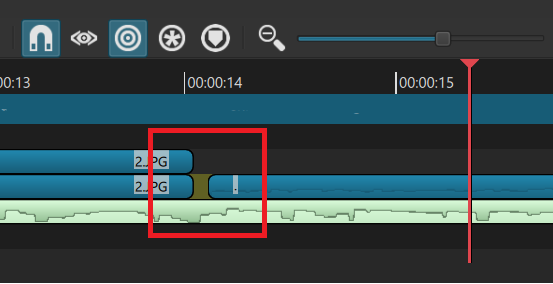
Every time i have to zoom into snap both images. The curved edges making it difficult for me to stick them together i never faced this issue before but after the update its kind of not working for me.
Your screenshot shows the magnet button highlighted, so I wouldn’t assume snapping is simply switched off. Which Shotcut version and operating system are you using?
If you just need to add the second image directly after the last clip on that track, try opening it in the Source player, selecting the destination track, then using Append (A). Shotcut’s Timeline guide documents this as adding the Source clip to the end of the current track, so it avoids lining up those edges by dragging.
For the dragging problem itself, the official shortcut reference says that holding Alt (Option on macOS) temporarily suspends snapping. Try a drag with no modifier keys held. I haven’t reproduced your issue, and neither of these checks proves whether the update introduced a bug.