I tried around a bit and found some good settings that removed 50-60% of the clicks or at least smoothened them out so they became barely noticeable.
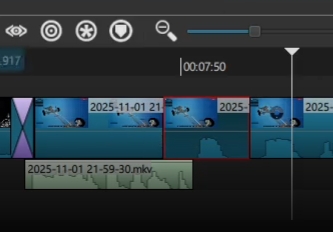
Put Track Seam on all Audio Tracks and put the threshold value to 0,1.
Put Declick on the bugged audio sections and I currently use the values: 30ms, 2, 50%. I still dont know if those r the optimal settings to detect and smoothen as most as possible but it worked quiet well for me. Mbe a dev can provide even better settings to detect more clicks.
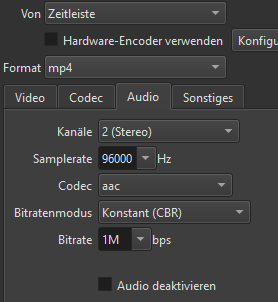
I would also recommend that u export the video with high audio quality. I will post a screen of my exporting audio settings below.
I do not recommend changing the audio sample rate. That causes a sample rate converter to be added to the processing chain - which can cause clicks. In fact, I do not recommend changing ANYTHING in the advanced export section unless you are a seasoned veteran and you know the tradeoffs you are making in there.
The best case scenario would be that there is no sample rate conversion at all. Make sure the clip sample rate matches the export sample rate (in your case, 48000).
Damn. I never had that issue with declick before. Mbe try different values and exporting? I would still recommend trying very low track seam values. That made a big difference on my project.
Mhh okay. I think the “fix” was more about the bitrate, than the samplerate. But good to know. I didnt have any issues with the samplerate yet. The example i provided earlier was with the standard settings. Not the shown modified ones.
Yes. Track Seam did indeed help me getting rid of one click earlier (I change the tracks from source). So this is a good tip. But the other issue remains
and select “Detach Audio”, which will remove the audio to an audio track. Maybe you could then put it on the same audio track as the previous audio, which might help. Maybe going from a video track to an audio track as in your example causes the click?
I’ve tried that before when splicing an audio track and it worked for me. A short fade-out on audio clip 1 and a short fade-in on the next audio clip (2).
OK @Lycrist_Kat - thought it was worth a try. Yes, removing some frames does seem to work but I agree it is a lot of work if you have lots of clips to adjust.
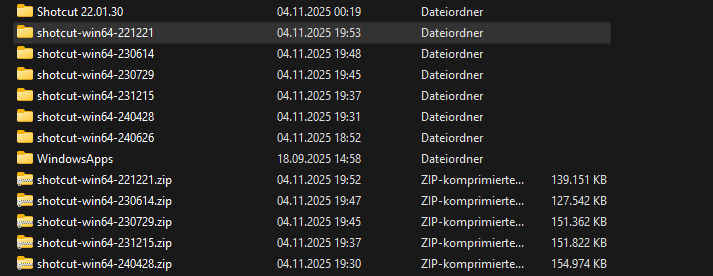
I fired up my somewhat older laptop which still has a version of shotcut installed. I copied it to the computer I do my cutting with and there’s no sound glitches
Yup I had the same thing. On my old Computer and the old version i didnt have the bug. It started like a couple of years ago. First i didnt bother but it rly gets annoying in longer videos. I cant remember which exact version i used. But it was a version from around 2018-2021. Just as u showed in ur video. Mbe that info helps finding the root of the issue somehow.
The glitch didn’t appear in shotcut but when I rendered the video it did again. So the issue must have been older. Currently trying to figure out which version was the first “bad” one
I tried rendering the video in 22.12.21 but it still had some cracks left. I think they became less by changing the version. But there were still some left. So changing the version is also no perfect solution.