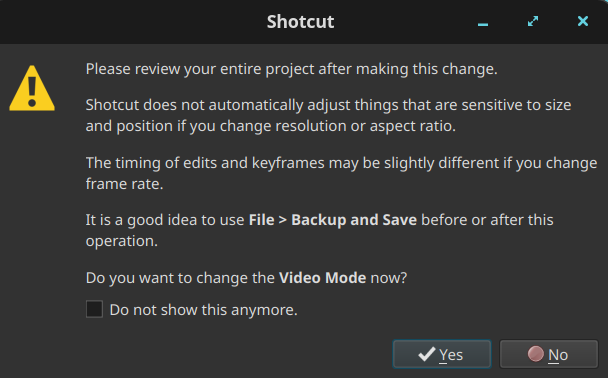
When changing the frame rate in video mode, strange things happen:
Example A: If I want to downscale a video from 1280×720 at 50 fps to 640×360 at 25 fps, I need to change the video mode to 640×360 at 25 fps and export at a resolution of 640×360 at 25 fps — correct? But the export resolution remains 1280×720 at 25 fps.
Example B: For the same 1280×720 50 fps source video, I set the stock video mode HD 720p 25 fps, but the exported video is 1920×1080 at 50 fps, with a black canvas and a 1280×720 video insert in the upper-left corner.
If you experiment with various sources and video settings (especially the frame rate), you can get various strange, unpredictable results on export.
Of course, the warning message is appreciated and taken seriously, but it has nothing to do with the problem because these are unedited videos.
The reason I’m adjusting the video mode is that I want to downscale videos for a documentary archive. Essentially, it’s about halving the widths and heights and the fps. As far as I know, this can only be done through the video mode.
Set the video mode before opening the video, or use automatic video mode and change Export > Video settings.
If you are using it like a transcoder but removing an existing file on timeline, adding a new one to timeline, changing video mode, and then export; well, you are doing it wrong. But you can see I’m simply guessing because you have not provided full steps. Use File > New or Close between videos. Don’t use the timeline or the playlist for a single file; you only need to use the Source player.
Thank you very much for taking care and your advice. The problem may have occurred when I combined Video Mode Resolution and FPS with the Reframe Filter. This is related to the warning message, but I did remove and redo the reframe filter to rule that cause out, strange. After rebooting, I was no longer able to reproduce the problem myself. Restarting often helps when things get stuck. I’ll be back if I can nail down anything.
That is helpful context. It sounds like you are trying to use Shotcut as a bulk transcoder, not as a video editor. It can work for that, but it isn’t designed for bulk transcode operations. Shotcut is meant to create a project with a specified Video Mode, and then spend time editing in the project with the Video Mode unchanged.
I recommend other tools for transcoding like Handbrake.
If you like to keep using Shotcut for this kind of activity, then I would follow Dan’s recommendation:
Create a project for each file
Set the video mode before you open a file
After you export the transcoded file, close the project and start a new one