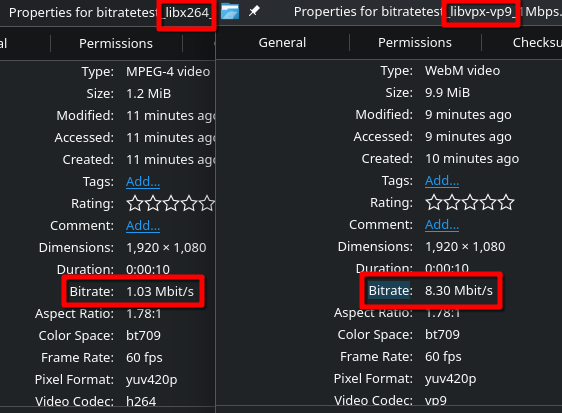
Bitrate limits are not respected when encoding video with WebM & WebM VP9
and vary wildly depending on the input video.
10 second video, Rate control: Average bitrate, Bitrate target: 1Mbps, Disable Audio
Other settings at Preset defaults.
libx264 & libvpx-vp9:
XML and job logs:
bitratetest_libvpx-vp9_1Mbps_joblog.txt (1.2 KB)
bitratetest_libvpx-vp9_1Mbps_XMLlog.mlt (5.9 KB)
Linux, stock Debian 13
Shotcut 25.03.31, from official Debian package repository
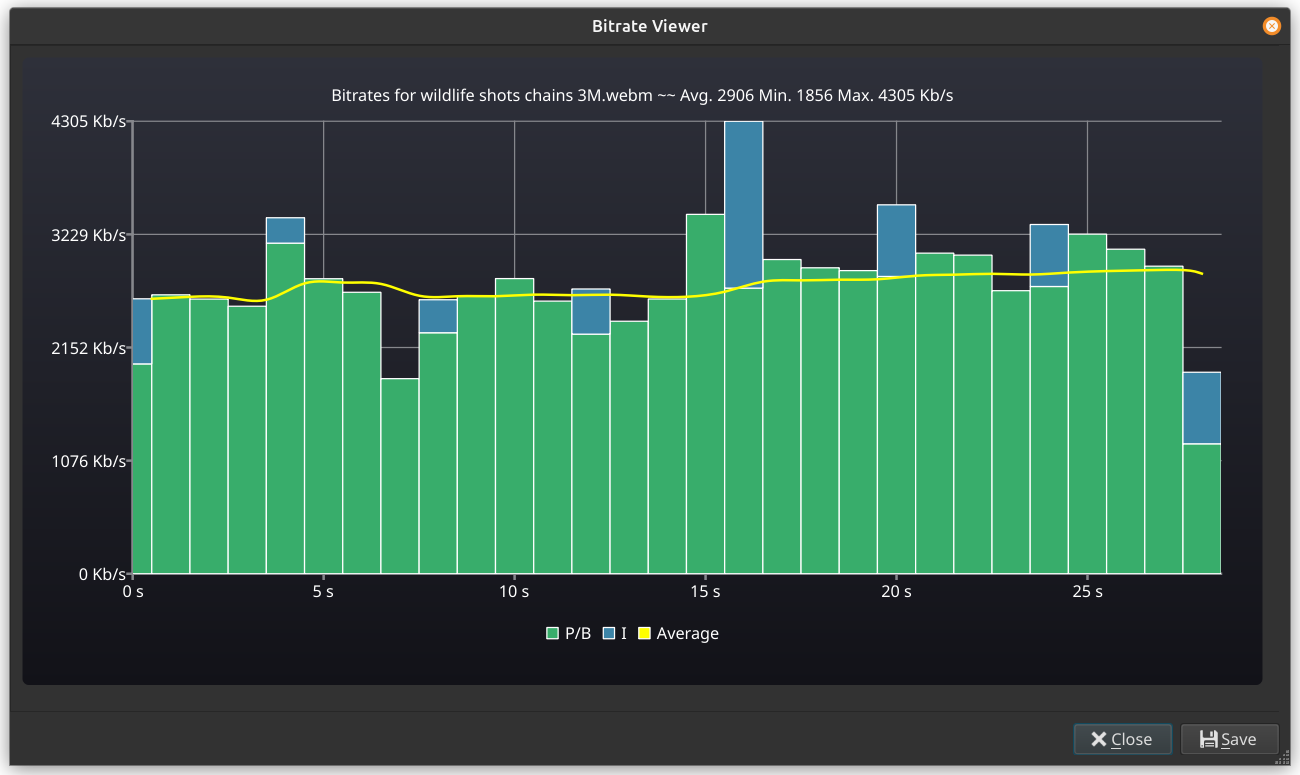
No file manager’s metadata display is a reliable source of data for the bitrate. Also, 1 Mb/s is very unlikely to be enough for a 1920x1080 video unless it is simple like a screen recording or slide show: The vpx library may not comply. You should open the exported file (double-click the completed job to open it), Then, do Properties > menu-button > View Bitrate. That opens a graph like this. Here I chose 3M for a 1920x1080 typical video.
Thank you for the speedy reply!
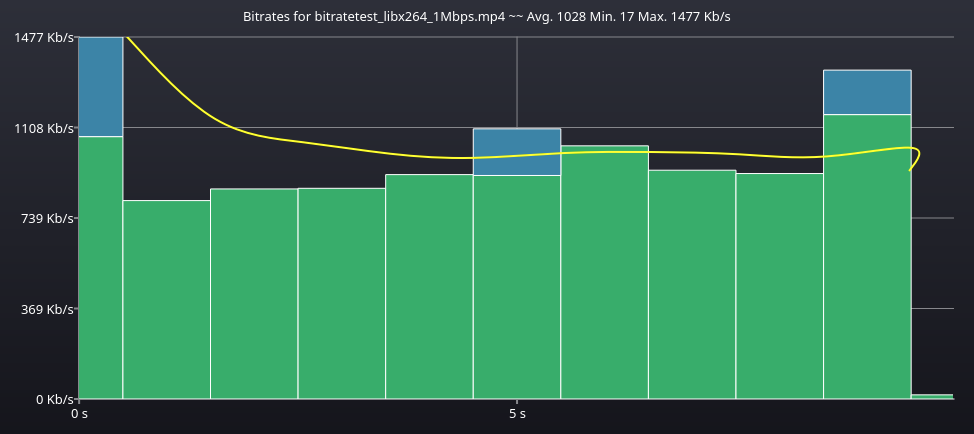
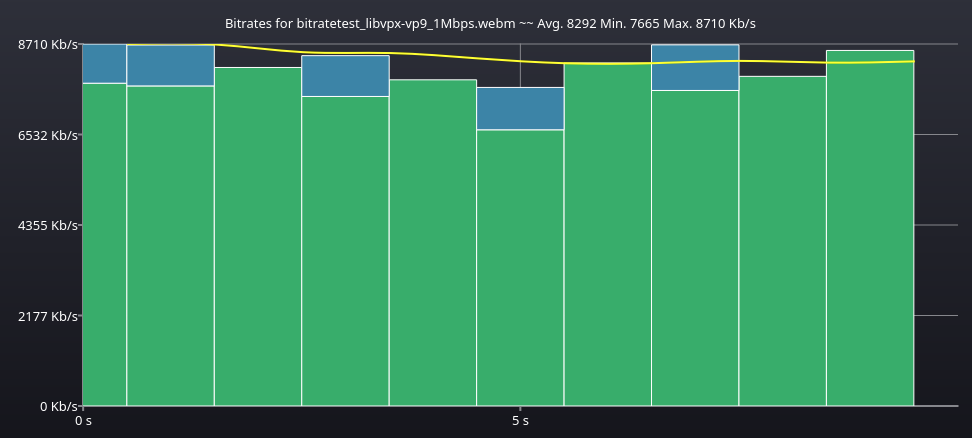
Here are the Bitrate viewer charts for both libx264 & libvpx-vp9:
I tried deleting some extra settings in the Other tab, but WebM would always overshoot regardless.
While the given bitrate might not be ideal for the video, it should still let me encode it.
I can encode in vp9 at lower bitrates when using ffmpeg or other software just fine, so I’m not sure what’s the issue here.
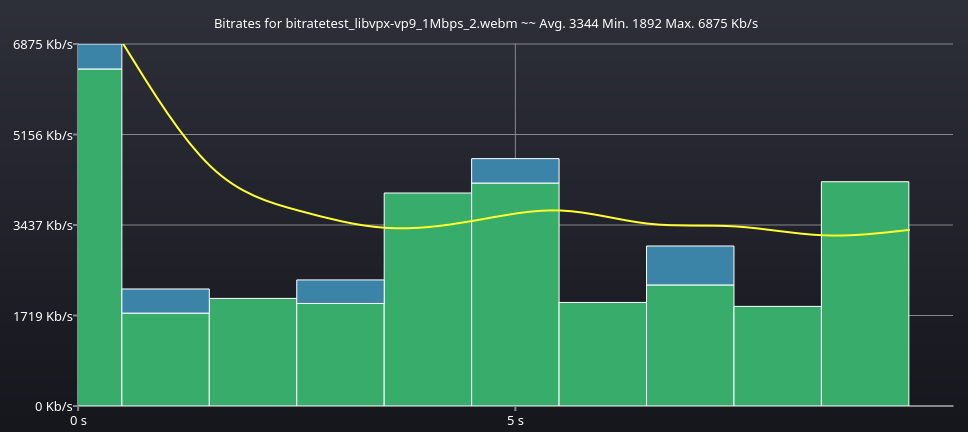
Here is a different 10 second clip, with about the same average bitrate as the original one, encoded with libvpx-vp9 and same settings as before. This time the encoder decided it needed ~3.3Mbps average.
I found that some options in Other are protecting the quality and others are to increase speed, both of which are important for VBR that is adaptive to resolution, frame rate, and complexity. Try removing qmax in Other. That works better in my test. For my test video I still get 1955 instead of 1000, but ffmpeg -c:v libvpx-vp9 -b:v 1M gave me 1760. GOP is another big factor. Shotcut defaults to 5 secs, but if you double the frame count or set it to something artificially high like 999 it might reduce further.
Another thing I found works is nothing in Other plus Dual pass.
I am willing to remove qmax from the preset, but I am not going to change GOP and remove other speed and quality safeguards so people can spend a long time to export poor quality video and then complain about those issues.
1 Like
Ah, adjusting qmax was exactly what I was looking for, thank you very much.
I think your presets are very sensible, personally I feel like you don’t need to change anything.
I probably encoded hundreds of .webms in Shotcut with no major issues, sometimes they needed a bit of wrangling to get them closer to target bitrate, but quality always turned out nice.
It was only today when I found a video that just wouldn’t go below 8Mbps or so, no matter how hard I tried to squeeze it under a 10MB limit, quite frustrating.
Thanks again for your extremely fast and effective response, much appreciated. 
1 Like