Hello there,
Here with another audio bug report. (Shotcut v.26.9.27)
Whenever I place clips with a different speed next to each other there is a moment of silence in the exported mp4 file. This also includes clips with an identical speed which isn’t set to 1,0
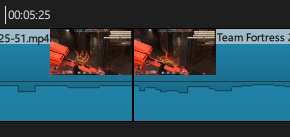
I’ve cut a clip and set the speed of the second half to 3,0. It includes pitch compensation.
This is how it looks and sounds in the editor:
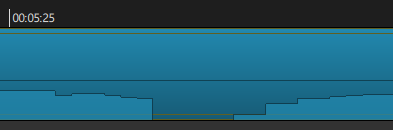
This is the exported result:
Is it possible to fix this?
I haven’t reproduced this on 26.9.27, so treat these as things to try rather than a fix, but they should at least narrow down where the gap comes from:
- Export with Parallel processing off. In Export → Advanced → Other (or the Video tab, depending on layout) untick Parallel processing and export a short range around the cut. It has caused audio/video glitches at clip boundaries before, so it’s the cheapest test.
- Export the audio on its own. Use the Audio only → WAV preset for the same range. If the WAV has no gap, the problem is in the MP4 audio encoding step; if the WAV also has the gap, it’s in how the sped-up clip is rendered.
- Bake the speed change into a file. Select the 3.0× clip, export just that clip (or use Convert… in Properties), then put the converted file back on the timeline at normal speed. Once the speed change is part of the media, the boundary is just two ordinary clips meeting.
- Try the Time Remap filter instead of the Speed field, with pitch compensation on, for the second half. It’s a different code path, so if it exports cleanly that’s a useful detail for the bug report.
If 1 and 2 both still show the silence, I’d add the WAV result and your OS to this thread – that makes it much easier for the developers to pin down.