Shotcut doesn’t move anything, and all of your source material is where you originally stored it. The only file shotcut creates is the mlt file, and the files you export. The mlt file and the exported files are stored where you saved them, either by OS default or of your own choosing.
I’m not sure where you have all of your source files at, nor could I know what you’ve used. I’ll show a few examples. Essentially it comes down to file management in how you or your team handles files and where they are stored. Realistically if you’re working on one project everything should be moved and stored to one project folder before actual editing. If you have multiple users not following the same file storage methods, then the only solution would be reading the mlt file to see where the files are stored at.
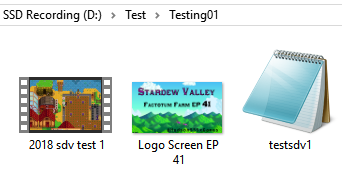
Example #1
In this example I have everything in one folder. I also included the mlt file testsdv1.mlt (4.4 KB) for you to open and follow along. Opening this in Notepad ++…
Line 21: <property name="resource">2018 sdv test 1.mp4</property>
Line 45: <property name="resource">Logo Screen EP 41.png</property>
Example #2
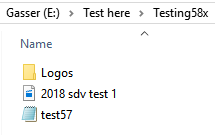
I have the logo inside the subfolder “Logos”.
test57.mlt (4.4 KB)
Line 21: <property name="resource">2018 sdv test 1.mp4</property>
Line 45: <property name="resource">Logos/Logo Screen EP 41.png</property>
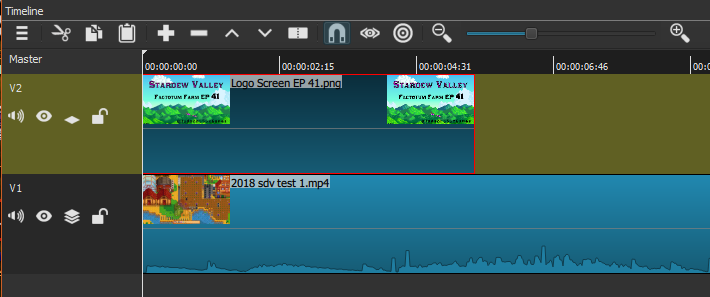
If you have saved project open in Shotcut, you can see the file names in the timeline. (If you can’t see the file name, use the zoom tool to show more in the timeline to get the file names to show)
And this image is from test57.mlt. While it doesn’t show you the actual file path, you’ll have the file name.
Example #3
Test62.mlt (4.5 KB) D:\Test\Test62\Test62.mlt
Various file location, mlt file not saved in any subfolder with any source files.
Line 21: <property name="resource">E:/Test here/Testing58x/2018 sdv test 1.mp4</property>
Line 45: <property name="resource">D:/Test/Testing58x/Logos/Logo Screen EP 41.png</property>
The image above showing the file names in example 2 show the same for example 3.