I have only taken a look at the text so far and reproduced it with Text: Simple with 0 outline on a red color clip. We are using Qt QPainter for that, and I tinkered around with the API and docs but could not figure out a way to change it yet. I found this related post in the web search, and it links to a number of similar bug reports and posts. Curious thing is looking at your picture is you can see some pink pixels which is the white blending properly with the red, but further away from the inside of the text, it goes dark. Those appear to be black translucent pixels blending with the background.
I get similar result when I put a Crop: Circle filter with red on a white color clip (Shotcut 20.09.13 uses Qt for Crop: Circle):
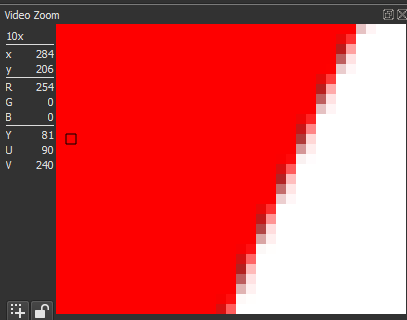
Upon switching to version 20.02, which uses WebKit for Crop: Circle, I get a similar result:
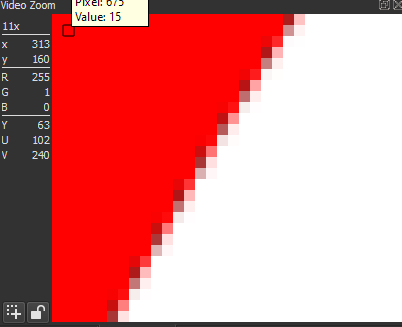
Using the same version white Text: HTML on a red clip:
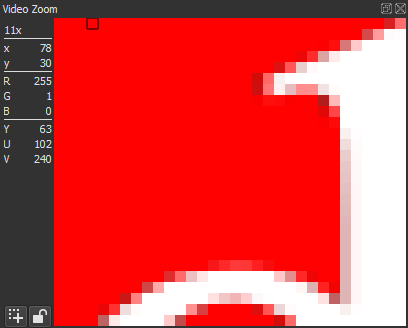
So, it appears WebKit has this same behavior as QPainter. Even changing the HTML body background color to opaque red so there is no alpha-compositing outside WebKit:
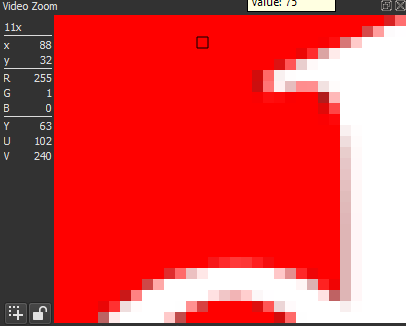
I suspect internally these things draw against a transparent black background regardless of the foreground color before blending layers. And some pixels of the background become translucent as some side effect (not just anti-aliasing because similar happened when I turned that off).Then, these translucent black pixels blend with the background color.