Blurring parts of video

Hey. I have a long video which sometimes shows text that should remain confidential. The box with the text appears in different parts and frames of the video. I need to blur them all but for now I only figured how to blur one part.

When I try to blur the next one (I use mask: simple shape, blur:box, and keyframes), the blurring spreads all over. Pls help!

Hi @Yvonne

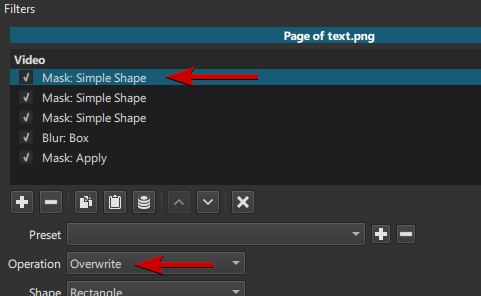
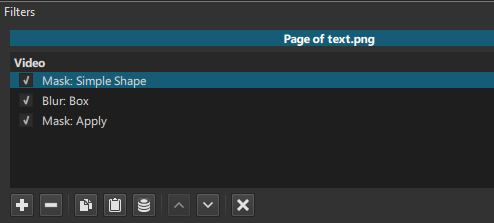
Your filters list probably looks like this

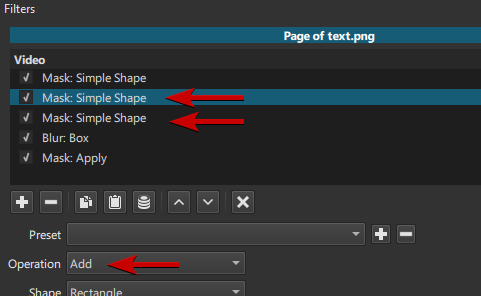
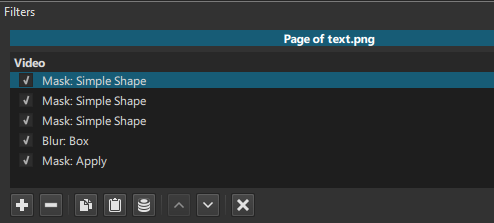
If you want to add more blurred areas (let’s say 2 more), simply add 2 more
Mask: Simple Shape filters below your first one.

IMPORTANT:
The Operation of the first Mask on top of the list stays to Overwrite

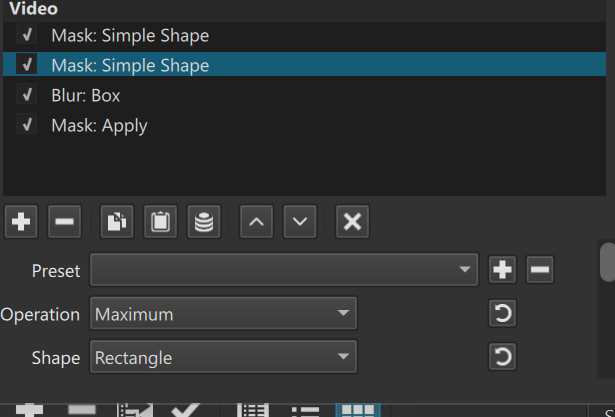
The Operation of the ALL the other Mask filters must be on Add (Maximum also works)

You can of course move and resize each Mask separately, and apply keyframes to each one.

1 Like

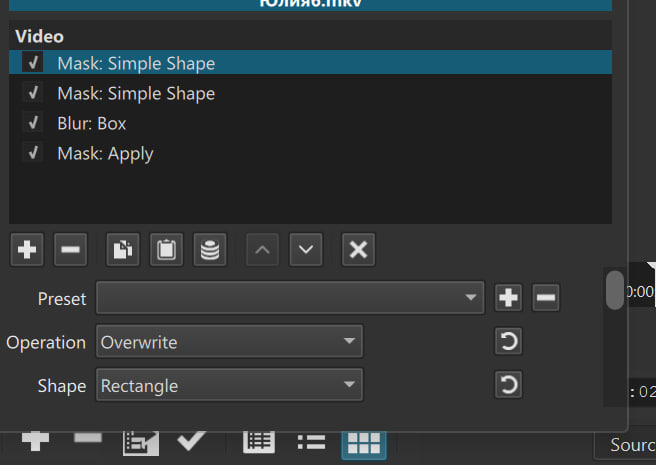
I did that. Now the blurring doesn’t spread all over, but the second mask doesn’t work. First shape is blurry, second is not.

What version of Shotcut are you using? I seem to remember that a while ago there was some issue with blurring multiple areas of the screen. If you’re on an older version, try updating to the latest.
Thank you!