I’ve recently installed the latest version of Shotcut (26.9.27) and I have some audio problems when exporting.
At some parts of the exported MP4-file some sounds overlap and sound as if their frequencies try to eliminate themselves and/ or frequently switch on and off.
This does NOT happen in the editor, only the exported MP4-file is affected by it. Whether the export settings are set to Standard or YouTube does not make any difference besides the file size.
I’m no audio expert but I’ve never had this problem for nearly eight years of editing, so I guess it’s update-related.
This is a preview of my current project with the audio issues. I didn’t want to cut it all over again just for the forum, so the main spikes are at 1:31 and after 03:20
(Don’t mind the video quality, the game itself runs on 720p in general)
Is it possible to fix this in a future version or has a new audio feature already been added which I don’t know about yet?
I listened to the two times that you listed. I am unsure if I am hearing what you describe. Do you think it is possible that your audio is clipping? Maybe the preview handles the clipping but the file encoding does not.
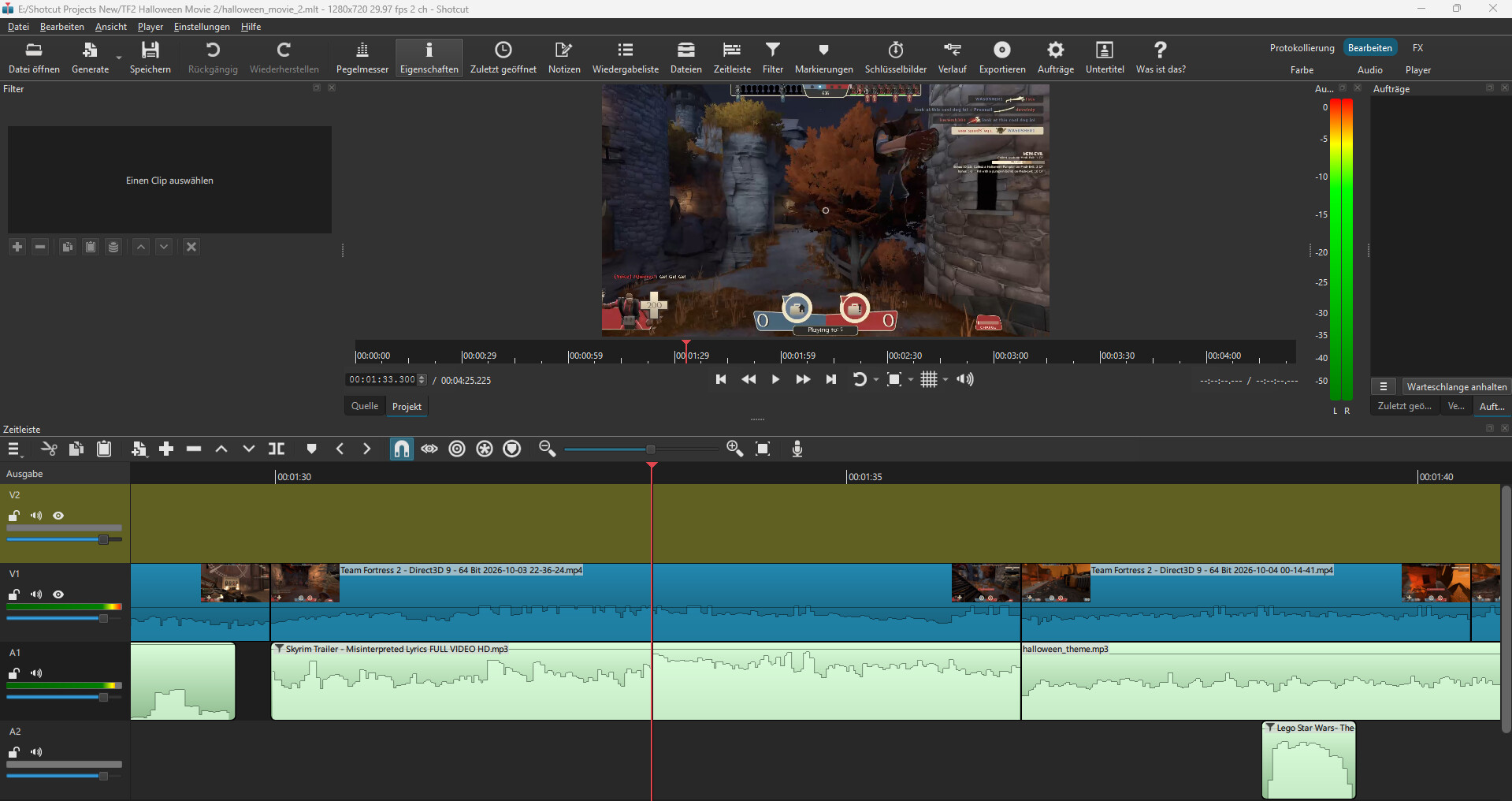
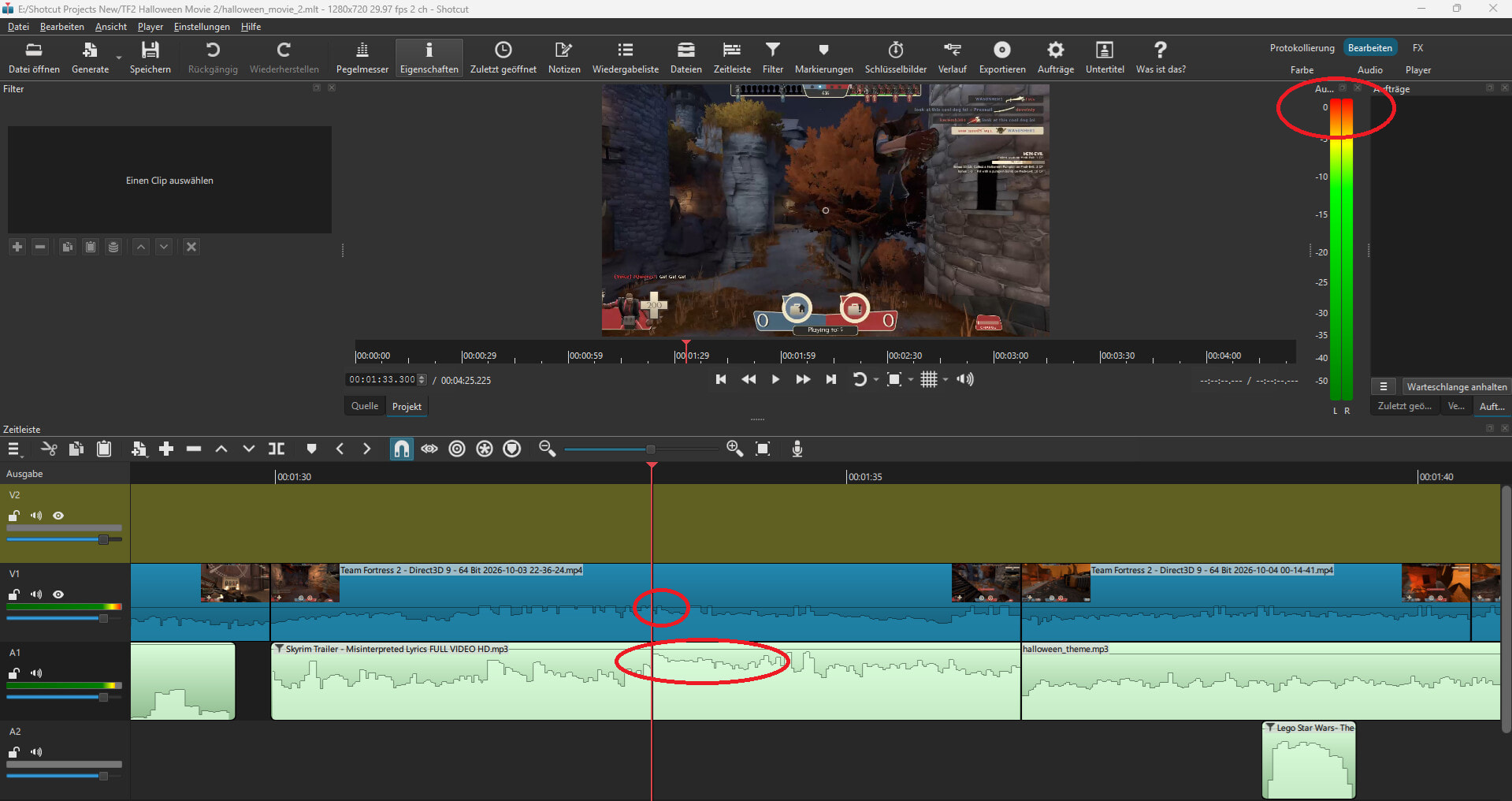
It might be helpful if you should provide a screenshot of your project with the cursor on the timeline at the time that the problem occurs (even if you don’t hear it in the preview).
@brian : Not sure if these screenshots can help but here they are. It’s a bit complicated because the audio bugs have a time span instead of appearing at a specific millisecond.
@MusicalBox The pop you hear at 1:28 is actually Michael Rosen’s “*click* nice” sound effect (It’s been a popular meme for more than a decade). That sound is fully intended
I haven’t downloaded your project yet. But, before I do, I recommend that you try an experiment…
I notice in your project that your audio levels are MAXed out. You can see that the audio level meter is at the peak. This is at a time that you have two clips at their highest volume being added together. The preview might be able to handle that peak, but when the encoder converts the audio from float to integer, it will probably clip.
As an experiment, try turning down the gain. The easiest way would be to add a gain/volume filter to your output track and then reduce the gain by 12db. If you do that, I wonder if your export will sound as good as the preview.
I’ve already improved the volume adjustments for my project. Everything is fluent now except the two spots from the very beginning. (You don’t need the previous zip file anymore)
I can be more precise about the problem now: There are sounds which can cause a certain echo which only appears in the exported file.
I’ll probably post it again in the suggestions tab, but whenever I apply volume filters the wave lines on the timeline should change as well. They’re always shown in their raw original state and it can be misleading especially when sending screenshots to developers.
Well, as cursed as it may sound, the problem fixed itself.
I’ve screenrecorded the mp4 file with the echo and sent it to you above. After that I had a power outage while my pc was still running. After restarting the problems simply disappeared and the audio of the same mp4 file is perfect now the way it should be.
It may not be Shotcut’s fault but it might be Windows instead. And it’s weird it required cutting off electricity instead of simply shutting down by default.
The files are fixed on my local drive but not the ones I uploaded here. How strange.