Recently the track volume control changed from “Only Mute” to “Volume Control Panel”.
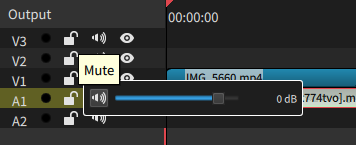
(I don’t know why but my “Volume Control panel” pops too slow, costs about more than 1 seconds)
Here is an idea:
Instead of waiting the panel pop-up, How about double-click the “Volume Icon” to just make the track mute.