

Shotcut expects all image and video sources to have un-pre-multiplied alpha. It does not do an automatic conversion even when there is metadata indicating premultiplied.
Use this filter to convert an image or video from premultiplied alpha to straight (unpremultiplied) alpha.
This operation separates color values from the alpha channel so that RGB channels are no longer scaled by transparency. Visible changes occur only along semi-transparent edges, where color values were previously scaled by alpha.
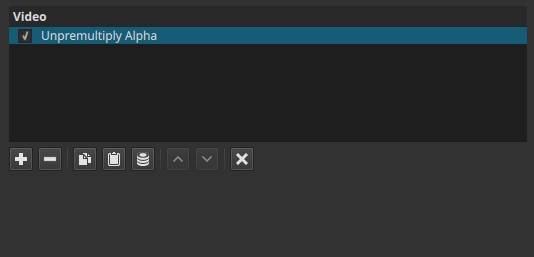
Unpremultiply Alpha is a technical correction filter, not a visual effect.
Parameters
This filter has no controls.
What this filter does (conceptual)
In premultiplied alpha:
- RGB values are already multiplied by the alpha channel
- Semi-transparent pixels contain darker RGB values
- This format is common in compositing pipelines and intermediate processing
Unpremultiply Alpha reverses this process:
- RGB values are divided by alpha
- Color intensity is restored independently of transparency
- The image is converted to straight alpha representation
When the effect is visible (important)
If the clip does not contain an alpha channel, this filter produces no visible change.
Visible changes occur only when:
- The clip has an alpha channel and
- RGB values are premultiplied by that alpha
Note:
Visible changes occur only along semi-transparent edges, where color values were previously scaled by alpha.
Typical workflows
This filter is usually used:
- After operations that require premultiplied alpha processing
- Before exporting or compositing where straight alpha is expected
- To correct dark edges or halos around transparent areas
- In combination with Premultiply Alpha in advanced workflows
Example workflow:
- Source with alpha
- Premultiply Alpha
- Apply effects that expect premultiplied data
- Unpremultiply Alpha
- Composite or export
Visual characteristics
- No change on opaque footage
- No change if no alpha channel is present
- On affected clips, restores correct color intensity near transparent edges
- Can remove dark fringes caused by premultiplied RGB values
Recommended use cases
- Correcting alpha handling in compositing pipelines
- Preparing clips with transparency for export
- Fixing edge darkening around semi-transparent regions
- Advanced workflows involving alpha-aware effects
Limitations
- No effect on clips without alpha
- No visual feedback if used incorrectly
- Requires understanding of alpha handling concepts
- Not intended for general-purpose editing